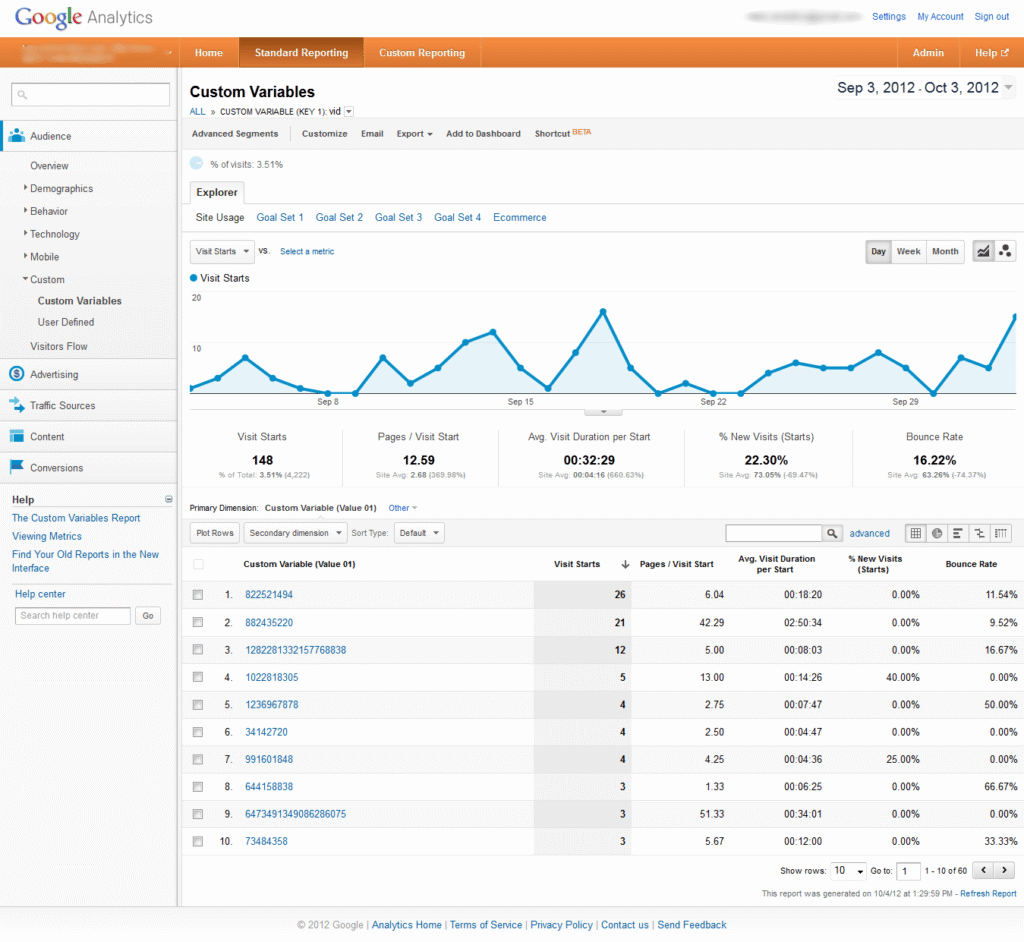
Welcome to the second part of the series on predicting user’s revisit to the website. In my earlier blog Logistic Regression with R, I discussed what is logistic regression. In the first part of the series, we applied logistic regression to available data set. The problem statement there was whether a user will return in the next 24 hours or not. The model is built and till now it was showing us 88% accuracy in predicting user’s revisit.
In this post, I’d try to showcase ways to improve this accuracy and take it to the next level. This is more about technical optimization so if you are a business reader you may want to skip and check how can you use this for your benefit. But, if you are techwiz or Data modeling guy like me, let’s get rolling.
As I have discussed in blog Improving Bounce Rate prediction Model for Google Analytics Data, the first step of the model improvement is variable selection and the second step is outlier detection (If you want to know more details of steps, refer mentioned blog). Let’s apply these steps one by one.
Variable selection
I have used stepwise backward selection method for variable selection. R code for the stepwise backward selection method is as below.
>Model_1 <- glm(revisit ~ DaySinceLastVisit + visitCount +f.medium +f.landingPagePath +f.exitPagepath+pageDepth, data=data ,family = binomial("logit"))
>library(MASS)
>stepAIC(Model_1, direction="backward")
Output
Start:  AIC=2119.37
revisit ~ DaySinceLastVisit + visitCount + f.medium + f.landingPagePath +  f.exitPagepath + pageDepth

                     Df Deviance    AIC
- f.exitPagepath    152   1732.4 1966.4
- f.landingPagePath  87   1751.0 2115.0
                    1581.4 2119.4
- pageDepth           1   1583.4 2119.4
- f.medium           11   1656.5 2172.5
- visitCount          1   1740.1 2276.1
- DaySinceLastVisit   1   1826.4 2362.4

Step:  AIC=1966.42
revisit ~ DaySinceLastVisit + visitCount + f.medium + f.landingPagePath + pageDepth

                     Df Deviance    AIC
                    1732.4 1966.4
- pageDepth           1   1738.9 1970.9
- f.landingPagePath 101   1987.5 2019.5
- f.medium           12   1821.2 2031.2
- visitCount          1   1929.3 2161.3
- DaySinceLastVisit   1   1978.4 2210.4
Before we understand the output, let me explain how the variables are selected in stepwise backward selection? In the stepwise backward selection method, AIC is used as the selection criterion. General rule is lower the AIC, best the model(i.e. For a group of variables, if AIC decrease by removing any variable(s) from group,then remaining variables are used in the model. This process continues until AIC stops decreasing). From the output, we can see that AIC is decreased and variable exitPageapath is excluded from the model. Now, we will create new model(Model_2 ) which does not include exitPageapath. R code for new model is as below.
>Model_2<-glm(revisit ~ DaySinceLastVisit + visitCount +f.medium +f.landingPagePath +pageDepth, data=data,family = binomial("logit"))
After generating the new model ,let’s check the accuracy of the new model and it is as below.
>predicted_revisit<- round(predict(Model_2,in_d,type="response"))
>confusion_matrix<- ftable(revisit, predicted_revisit)
>accuracy<- sum(diag(confusion_matrix))/2555*100
Output
86.57534
From the output, we can see that accuracy of the new model is decreased. This does not seem good to us. Variable selection method did not help us in improving the model. Let’s try second step for model improvement which is outlier detection.
Outlier detection
As we know that data set contains some unreliable observations which make model’s quality poor. We always need to detect outlier and remove them. For numerical variables, outliers can be removed by observing the histogram of frequency distribution of the values of each variable (Process is described in blog Improving Bounce Rate Prediction Model for Google Analytics Data). In our data set, there are three numerical variables named visitCount, daySinceLastVisit and pageDepth. I have generated new data set after removing outliers. Let’s create new model based on new data set and check the accuracy of the new model. R code for new model is as below.
>Model_3 <- glm(revisit ~ DaySinceLastVisit + visitCount +f.medium +f.landingPagePath +f.exitPagepath+pageDepth, data=data_outlier_removed ,family = binomial("logit"))
Now, we will check the accuracy of the new model and it is as below.
>predicted_revisit <- round(predict(Model_3,in_d,type="response"))
>confusion_matrix <- ftable(revisit, predicted_revisit)
>accuracy <- sum(diag(confusion_matrix))/2292*100
Output
98.42932
From the result, we can see that model has more accuracy than previous models (Model_1 and Model_2) and it is good for us. So, removing the outliers from the data set, the model got more improvement and prediction accuracy. For now, we can conclude that through this model (Model_3), we can predict more accurately whether a user will return to website in next 24 hours. If you want to do exercise, Click here for R code and sample data set. In the next blog, we will discuss about logistic regression with Google Prediction API, check the accuracy of the Google Prediction API for our data set and try to predict for a user that will user return to website in next 24 hours?
Would you like to understand the value of predictive analysis when applied on web analytics data to help improve your understanding relationship between different variables? We think you may like to watch our Webinar - How to perform predictive analysis on your web analytics tool data. Watch the Replay now!