Location intelligence, also known as geospatial intelligence, is revolutionizing the way businesses operate in today’s data-driven world. By leveraging spatial data, organizations can gain valuable insights into their operations, customers, and market trends, leading to smarter decision-making and improved outcomes. In this technical blog, we will explore what location intelligence is, its significance, and how it can transform your business. Additionally, we will delve into real-world location intelligence use cases and provide five essential tips to kickstart your journey with geospatial insights.
What is Location Intelligence?
Location intelligence refers to the integration of geographic data into business strategies and processes. It involves analyzing and visualizing data in a spatial context to identify patterns, trends, and relationships that may not be apparent in traditional tabular data. By combining geographic information systems (GIS) with business intelligence tools, location intelligence empowers businesses to make informed decisions based on location-based insights.
The Significance of Location Intelligence: Location intelligence provides a competitive edge by enabling businesses to understand the spatial aspects of their data. It offers the following key benefits:
a.) Enhanced Customer Insights: By analyzing customer data in relation to geographic locations, businesses can identify target demographics, optimize marketing campaigns, and improve customer experiences.
b.) Efficient Resource Allocation: Location intelligence helps optimize resource allocation, such as store locations, delivery routes, and field workforce management, resulting in cost savings and increased efficiency.
c.) Market Analysis and Expansion: Gain valuable market insights by mapping competitors, demographics, and trends, assisting in making informed decisions about market expansion strategies.
d.) Risk Management and Mitigation: Assess and manage potential risks associated with natural disasters, supply chain disruptions, or economic factors by incorporating geographic data into risk analysis.
Location Intelligence Use Cases:
Let’s explore real-world examples of how businesses are leveraging location intelligence:
i.) Retail: Retail chains use location intelligence to identify the best locations for new stores, analyze foot traffic patterns, and optimize inventory management.
ii.) Logistics and Transportation: Delivery companies utilize location intelligence to optimize delivery routes, reduce fuel costs, and ensure timely deliveries.
iii.) Real Estate: Real estate developers and agents employ location intelligence to assess property values, demographic trends, and potential investment opportunities.
iv.) Healthcare: Healthcare providers use location intelligence to analyze disease outbreaks, optimize healthcare facility locations, and plan emergency response strategies.
Getting Started with Location Intelligence:
i. Integrate Spatial Data:
Create a comprehensive approach that harnesses Location Intelligence to enhance both customer experience and operational efficiency. Explore inventive ways to integrate cartographic and geospatial data for maximum impact.
Combine your existing business data with geographic information to create meaningful insights. Use Google Maps Platform location-based APIs to visualize and analyze geodata.
ii. Set Clear Objectives:
Define specific goals you want to achieve through location intelligence, such as improving customer retention, optimizing resources, or expanding into new markets, etc.
iii. Choose the Right Tools:
Select suitable location intelligence platforms and tools that align with your business requirements. Consider factors like data integration capabilities, accuracy, ease of use, and scalability.
iv. Data Quality and Privacy:
Ensure data accuracy and privacy compliance when collecting and analyzing spatial data. Utilize trusted data sources and implement security measures to protect sensitive information.
v. Training:
Invest in training your team to understand and use location intelligence tools effectively. Encourage collaboration and knowledge sharing to maximize the benefits of geospatial insights.
Conclusion:
Location intelligence is no longer an affluence; it has become a necessity for businesses seeking a competitive edge. By harnessing the power of spatial data, businesses can gain invaluable insights, streamline operations, and make informed decisions that drive growth and success. Embrace location intelligence, explore its diverse use cases, and implement these five essential tips to unleash the transformative potential of geospatial insights in your organization. Empower your business with location intelligence and stay ahead in today’s dynamic and data-centric business landscape.
Hey there data enthusiasts! It’s time to talk about something crucial for all of us - safeguarding our precious historical data from the dearly departed Google Analytics 3 (UA). With the sun setting on UA, we must shift our focus to the future - Google Analytics 4 (GA4). But hold on a sec! Before we dive headfirst into GA4, let’s not forget the valuable insights buried in our historical data.
Do I need to export UA data?
Oh, absolutely! Your historical data is like buried treasure. With UA’s collection capabilities now put to rest, you’ve got about six months to rescue your historical data from the abyss. Trust me; you don’t want your decision-making to take a hit later on, do you?
How do I transfer historical data from UA to GA4?
There are various solutions at your disposal. You could try the Google Sheets Add-On, or you can explore the Query Explorer for exporting data. But hey, remember your climbing gear because it can get a bit cumbersome.
Here is where Tatvic swoops in to save the day! Their innovative solution lets you back up your data with minimal effort using APIs and stores it all into Big Query, where the magic happens.
Imagine visualizing your data in Looker Studio - it’s like turning a dusty old manuscript into a captivating story!
Will Google UA historical data be available until July 1, 2024?
Unfortunately, Google hasn’t set a specific date for the data’s grand disappearance. But let’s not test fate. Better be safe than sorry, right? So, let’s aim to wrap up this rescue operation before the dawn of 2024.
Can I keep using Universal Analytics?
Ah, the million-dollar question! While UA may be gone with the wind, its successor GA4 is here to stay. Embrace change, my friends! GA4 brings new features, advanced tracking, and a fresh perspective. It’s time to bid adieu to UA and say hello to a more sophisticated data-driven future.
Using the power of automation, Tatvic can help you curate a custom solution based on your business needs and preserve your data
Data Preservation without Sampling: Unlike in GA3, our solution ensures data preservation without any sampling, allowing you to export data for over 10 years at a time.
Leveraging APIs for Data Extraction and BQ: APIs act as the seamless bridge between GA3 and Big Query (BQ). By leveraging APIs, we retrieve data from GA3 in a structured format, facilitating smooth integration into the pipelines. In response to the major drawback of GA3 - sampling, we’ve devised an innovative solution. Data is exported in batches based on a maximum threshold of 500,000 sessions, guaranteeing accurate representation while adhering to limits. This unique functionality sets our solution apart, enabling efficient data capture and transformation.
Storing Data in Big Query: All data is securely stored in Big Query, allowing us to leverage Google Sheets and Looker Studio for easy data transformation and utilization as needed.
Data Retention and SamplingThresholds: An important consideration is the data retention period for the property. By default, it’s set at 26 months, limiting data export to about 2 years. However, many organizations opt for “Do not automatically expire,” enabling data export since the day data was collected in UA. Once we know the data retention and sampling thresholds, we export a set of predefined tables that combine matching dimensions and metrics based on scope. These tables are exported via APIs through the existing pipeline and stored in BQ.
Optimized Export Process: The export limit of 5000 rows at a time, along with high cardinality and sampling in larger date ranges, can lead to time-consuming processes. To address this, our solution is designed to have reports prepared beforehand, and exports are done in batches. This ensures efficiency and eliminates sampling issues in BQ.
Utilizing Looker Studio for Analysis: With Looker Studio’s powerful data visualization and analysis capabilities, we can effectively explore and analyze safeguarded data. Looker Studio provides advanced calculation tools, empowering organizations to derive meaningful insights and make data-driven decisions.
Conclusion:
As the GA3 sunset demands immediate action to safeguard your data, our technical solution leveraging APIs, BigQuery, and Looker Studio offers a comprehensive approach. With a customized approach superior to basic standard reports and connectors, our solution ensures your data is protected, analyzed, and ready to give your organization a competitive advantage in the market. With extended support services, organizations can confidently navigate the technical challenges of data safeguarding and unleash the true potential of their protected data.
As we look ahead, the future of marketing is set to be revolutionized by personalization. With rapid technological advancements paving the way for more human-centric experiences in the online world and a surge in digital behaviours post-pandemic, organizations must embrace the growing demand for personalized interactions.
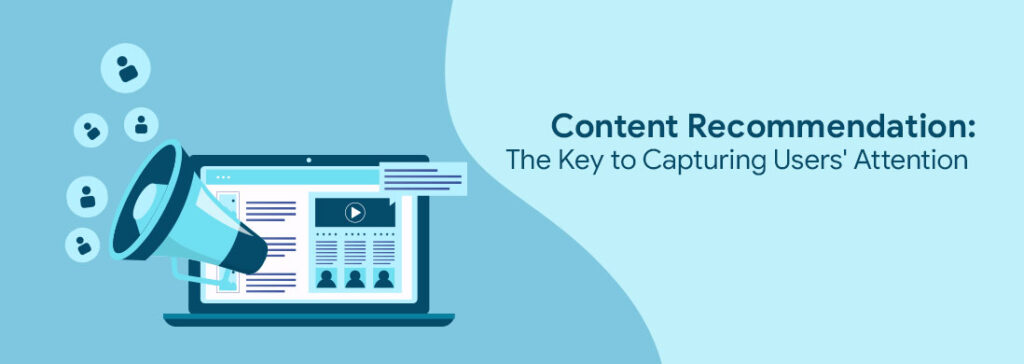
Within the vast landscape of customization, content recommendation platform emerges as a prominent branch, holding the key to revolutionizing marketing strategies. In its simplest form, consumers may encounter generic suggestions based on content popularity.
However, with the advent of AI-powered content recommendation engines, businesses can now tap into product catalogues and customer data to offer highly personalized choices.
In this article, we embark on a journey into the fundamental aspects of content recommendations. We’ll delve into the intricacies of suggestion placement strategies, the advantages of adopting content recommendation approaches, and the diverse platforms that empower this innovative marketing technique.
Moreover, we’ll provide real-life examples of content suggestions to demonstrate how they can catalyze your website’s or business’s growth and success. Let’s unlock the potential of content recommendations and uncover their transformative impact on user engagement and revenue generation.
What is a content recommendation engine?
The content recommendation engine is an advanced system that suggests relevant and personalized content to users based on their interests, preferences, and browsing behaviour.
It leverages sophisticated algorithms, often powered by artificial intelligence, to analyze user data and understand their individual needs. By matching user profiles with appropriate content, content recommendation aims to enhance user engagement, improve user experience, and increase the likelihood of repeat visits and conversions on websites or digital platforms.
This technology is widely employed by various online platforms and websites to deliver tailored content suggestions seamlessly integrated into the user’s browsing experience.
One common manifestation of content recommendations is through related content widgets, often labelled as “recommended content” or “you might also like.” These widgets prompt users to explore additional material from the same website or other sites offering comparable content. The Wunder Ground serves as a notable example of effectively implementing content recommendations to engage users with relevant and captivating content.
Image via wunderground.com
How Content Recommendation Works?
Content recommendations operate through diverse approaches, depending on the platform and technology employed.
1. Keyword and Tag-based Recommendations:
Certain platforms use keywords and tags to suggest relevant material to users. By analyzing user input, search queries, and content tags, the recommendation engine identifies content that aligns with the user’s interests and preferences.
2. User Interaction Tracking:
Some content recommendation tools track user interactions with website content, learning from their behaviour to make personalized suggestions during their subsequent visits. By understanding the user’s browsing history and content consumption patterns, the engine can tailor content recommendations to suit individual preferences.
3. Integration via Website Plugins:
Content suggestions can be seamlessly integrated into websites through the use of plugins. These plugins enable the presentation of related content widgets or personalized recommendation lists to users, fostering a more engaging browsing experience.
For instance, Amazon employs a content recommendation engine to suggest products based on users’ prior interactions, including viewed products, purchase history, and browsing activity. This AI-driven system enhances the user’s shopping experience by offering personalized product recommendations tailored to their specific interests and preferences.
What are the types of Content Recommendations?
Content recommendations can be categorized into two main types: on-page and off-page suggestions, each offering distinct benefits to website owners and users.
a) On-page Recommendations:
On-page content suggestions are strategically placed within your website, encouraging users to explore more of your material and prolong their stay. By presenting relevant content to visitors based on their current interests, on-page recommendations aim to increase the time users spend on your page and website, ultimately reducing bounce rates.
As users engage more with your content, they are more likely to share it on social media, amplifying the visibility of your business and content. This type of recommendation is particularly advantageous for websites with substantial content portfolios, ensuring that a wider audience discovers and engages with the diverse material. However, for younger websites with limited content, the full potential of on-page content recommendations might not be fully realized.
CNNprovides a real-life example of on-page content recommendations, showcasing content suggestions that align with their existing on-page material, enhancing user engagement and navigation.
b) Off-page Recommendations:
Off-page content recommendations guide users to external websites, directing them to relevant content hosted on other platforms. This type of content-based recommendation is particularly beneficial for websites that rely on referral or affiliate revenue streams.
By offering users valuable content from external sources, you can enhance their browsing experience and foster loyalty. For websites that are part of a broader publishing network, off-page recommendations can be effectively used to drive traffic to other sites within the network, creating a mutually beneficial ecosystem.
For instance, real estate content highlighted by “magicbricks” in “timesofindia” exemplifies how off-page recommendations can promote and strengthen content across different platforms.
What are the tips to improve the impact of Content Recommendations?
1. Introduction:
While the introduction of your blog article is crucial in grabbing readers’ attention, the conclusion plays an equally vital role. It serves as the key to sustaining their interest and enticing them to return for more engaging content. In this section, we’ll explore the power of content recommendations in your blog post’s conclusion, offering seven effective ways to leave a lasting impression on your audience.
2. Summarize your Main Point:
Incorporate content recommendations that expand on the core message of your blog article. Suggest additional resources or in-depth guides that elaborate on the topic, ensuring your readers gain a comprehensive understanding.
3. Activate the Reader’s Will to Act:
Drive engagement by persuading readers to take action. Recommend practical steps or actionable tips related to the blog’s content, motivating them to implement the insights shared.
4. Request a Share of the Reader’s Post:
Encourage social sharing by explicitly asking readers to share your blog post with their network. Utilize social media buttons or catchy CTAs to make sharing effortless.
5. Connect to Another Valuable Website:
Enhance your blog’s credibility by recommending external sources, such as newspaper articles or industry books. This not only adds value but also showcases your awareness of current trends in your profession.
6. Pose a Query to Invite Feedback:
Stimulate interaction and increase user engagement by posing thought-provoking questions. Encourage readers to leave comments, sharing their thoughts and experiences on the topic.
7. Inform Readers about Upcoming Events:
Tease your audience with exciting upcoming content. Mention webinars, podcasts, or exclusive releases, enticing them to subscribe to your blog for timely updates.
Promote Your Business or Product: Capitalize on related content recommendations to promote your business or product. For example, if your article discussed overcoming procrastination, link to an e-course on time management.
Where to Place Recommendations
Content Recommendation Using On-Site Widgets
A very easy tactic that is also quite successful for expanding your audience is the content recommendation widget!
You propose material using on-site widgets in this sort of placement so that when the reader scrolls down, the content shows on the right-hand side of the page.
With this form of placement, you suggest material using website widgets so that it will display on the reader’s right as they scroll down the page.
Websites that use content suggestion widgets can increase revenue.
Widgets that offer personalized recommendations boost conversions by 15% to 20%.
Increased content engagement may be achieved with the use of recommendation widgets.
Creating a Product Recommendation Popup
Popups can make or break a website’s success, depending on how they are utilized. When done right, they can transform site visitors into paying clients and foster customer loyalty over time. Carefully choosing the recommended products can significantly impact the success of popups, ultimately leading to increased conversions and repeat customers.
To ensure popups don’t disrupt the user experience, consider the timing
Schedule popup suggestions to appear at strategic moments, such as when the visitor has engaged with enough content or is about to exit the page.
Example from GetResponse: Observe how GetResponse effectively times their popups, enhancing user satisfaction and engagement.
Smart content suggestion tactics assist you in providing the finest material to each visitor and providing a better experience. This will also help you discover more relevant material and increase engagement with it.
In this blog article, we will look at the top six best content suggestion tactics for 2023.
1. Most Popular Content:
The number of page views or unique site visitors that a piece of content receives is frequently used to identify the most viewed content. The length of time that a piece of content spends in different categories can also indicate its popularity.
This is one of the best content suggestion tactics for engaging first-time visitors to your site. Examine how “The Week” promotes its most popular material on its website:
2. Associated Information:
Proposing similar material is a top-notch content suggestion tactic for captivating clients and new visitors. Marketers leverage content recommendation engines equipped with complex algorithms to curate personalized suggestions based on users’ past interactions.
YouTube serves as a prime example, dynamically populating related videos on the right-hand side in real-time, tailoring recommendations to match the current video, and alluring viewers with engaging content.
3. Last Viewed Content:
The second best content suggestion strategy on our list is to propose new material based on prior content read by your audience.
AI-based algorithms provide the most recently watched material to the visitor first, and content suggestions are often based on watching statistics from the previous week, month, or any other time period.
This content recommendations-based method is used by popular websites such as Netflix and Amazon to engage their consumers.
Make sure your material is highly personalized if you want it to be viewed by as many individuals as possible.
In addition, contemporary customers need highly customized experiences across all digital media. According to a 2021 survey, 60% of participants stated they would return to a company that provides a personalized experience.
Content recommendation engines use various data sets in addition to demographic information to segment audiences and personalize content recommendations:
Grouping material is an excellent content suggestion approach for a few reasons.
For starters, it enables you to display a greater volume of material to your audience at the same time. This is especially beneficial if you want to recommend a lot of stuff but don’t want to overload your viewers.
Bundling content keeps your users interested. You increase their chances of finding anything that interests them by offering numerous pieces of content (or items) at once.
This is how Accuweather promotes a collection of content articles covering a wide range of topics.
Content recommendations may boost personalisation on your website, increasing brand recognition and generating quality leads for your company. This, in turn, can enhance sales and income for your brand.
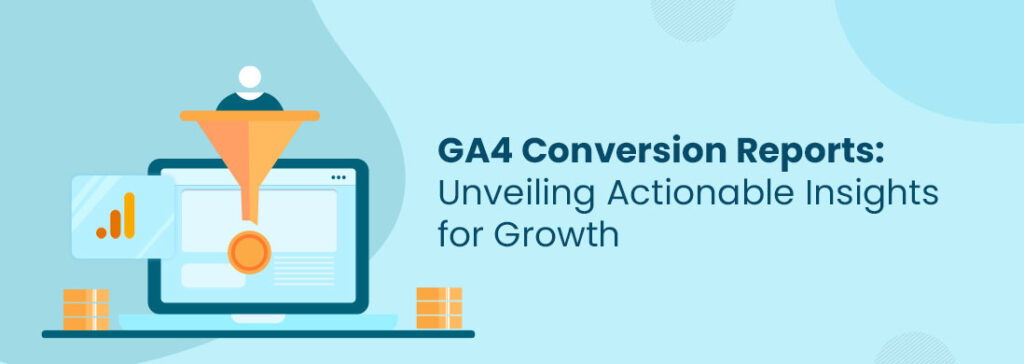
Google Analytics 4 (GA4), the next-generation analytics platform, offers robust features and advanced capabilities to gain deeper insights into conversions.
In this blog post, we will explore the power of GA4 Conversion Reports and how they provide actionable insights to propel your business forward.
In GA4, conversion events are actions that hold specific value for your business. They represent the desired actions or goals you want users to take on your website or app. The specific events like purchase completion, lead generation, account creation, content download, and subscription of membership that can be marked as conversions depend on your business objectives.
However, it’s also important to note that not all events can be marked as conversions. Some events like page views, button clicks, and time spent on the page may be more indicative of user engagement or interactions rather than directly leading to a specific business goal.
Conversions are at the heart of engagement reports, representing the most crucial user interactions. These reports become visible once an event is designated as a conversion.
To mark an event as a conversion, an editor or admin access is necessary. It is possible to designate up to 30 events as conversions, allowing for comprehensive tracking and analysis of important user actions.
Admin > Property > Events
Conversion reports provide the most insight into the questions below.
Which marketing campaigns are driving the most conversions?
What are the most effective channels for customer acquisition?
How are users interacting with the website, and what actions lead to conversions?
Are there any drop-off points in the conversion funnel that need to be addressed?
Which products or services are generating the highest conversion rates?
How can we optimize the user experience to increase conversions?
Clicking on the specific event will provide access to detailed information about the conversion. This includes valuable insights into the channels through which the conversions are occurring. Additionally, the report will display a count of conversions, calculated based on the chosen conversion counting method.
The Evolution of Conversion Reports:
GA4 introduces a paradigm shift in the way conversion reporting is approached. Unlike its predecessor, GA4 focuses on event-based tracking and allows you to define and track custom events that align with your specific conversion goals. This new approach provides more flexibility and granularity, enabling a deeper understanding of user interactions and conversion journeys.
Key Features of GA4 Conversion Reports:
a) Enhanced Funnel Analysis: GA4’s Conversion Reports offer an improved funnel analysis capability, allowing you to visualize and analyze each step of the user journey. With a holistic view of the conversion funnel, you can identify bottlenecks, drop-off points, and areas of improvement to optimize the conversion process.
b) Path Analysis: GA4 enables path analysis, which helps you uncover the different paths users take before converting. This feature offers valuable insights into user behaviour, allowing you to optimize your marketing campaigns and website experience accordingly.
c) User-centric Reporting: GA4 focuses on user-centric reporting, providing a more comprehensive view of individual users’ interactions and conversion activities. By understanding user behaviour at a granular level, you can personalize marketing efforts, enhance user experiences, and increase conversion rates.
d) Cross-Device Tracking: GA4 offers advanced cross-device tracking capabilities, enabling you to track users across multiple devices seamlessly. This feature provides a more accurate understanding of user journeys and attribution, helping you make informed decisions on cross-device marketing strategies.
Leveraging GA4 Conversion Reports for Growth:
a) Identify Conversion Opportunities: GA4 Conversion Reports empower you to identify untapped conversion opportunities. By analyzing the conversion funnel, user paths, and attribution models, you can uncover areas where optimizations can be made to drive more conversions.
b) Optimize Marketing Campaigns: GA4 Conversion Reports offer insights into the performance of different marketing channels, campaigns, and segments. By analyzing these reports, you can allocate resources effectively, optimize marketing efforts, and maximize ROI.
c) Personalize User Experiences: With user-centric reporting, GA4 Conversion Reports enable personalized experiences. By understanding user behaviour, preferences, and conversion patterns, you can deliver tailored content, offers, and recommendations, enhancing user engagement and conversions.
d) Continuous Improvement: GA4 Conversion Reports provide ongoing insights into user behaviour and conversion performance. By monitoring and analyzing these reports regularly, you can identify trends, detect anomalies, and make data-driven decisions to continuously improve your conversion strategies.
Conclusion:
GA4 Conversion Reports revolutionize the way businesses track and analyze conversions, providing actionable insights to drive growth. With enhanced funnel analysis, path analysis, user-centric reporting, and cross-device tracking, GA4 equips you with the tools to optimize conversions and enhance user experiences. By leveraging the power of GA4 Conversion Reports, businesses can gain a competitive edge, maximize conversions, and achieve long-term success in the digital landscape.
So, dive into GA4 Conversion Reports today and unlock a world of actionable insights that will transform your conversion optimization strategies.
Wouldn’t it be wonderful if every customer followed a linear path when making a purchase? Imagine a scenario where a customer becomes aware of your brand, considers your offerings, and confidently makes a purchase, all in one seamless journey without any distractions or competition.
Sounds ideal, right?
However, the reality is that customer behaviour is far from linear. Online shoppers navigate through various touchpoints, from websites and blogs to social media and physical retail stores, creating a complex web of interactions.
In this article, we’ll explore the power of customer data platforms (CDPs) and how they can help businesses effectively manage and leverage customer journeys. Let’s dive in!
Make Informed Business Decisions with a Customer Data Platform(CDP)
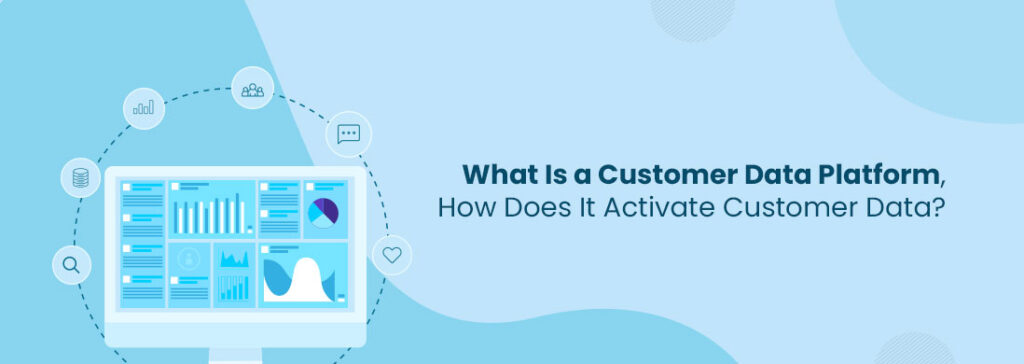
A customer data platform (CDP) is a software application that collects data from numerous touch points and organizes it into a single, comprehensive customer database. Businesses can significantly enhance their marketing and customer service efforts using CDP services across various platforms.
Let’s illustrate this with an example. Imagine you own an online business with a strong social media presence. Your customers can contact you through various channels like Facebook, Instagram, email, or your website.
With CDP services, you can effortlessly gather information from all these touchpoints, consolidating it into a user-friendly customer profile. This profile will provide insights you can utilize on platforms like Facebook ads to create highly targeted marketing campaigns.
These data-driven insights provide businesses with several benefits. 48% of advertisers report a better understanding of the customer journey, while 50% consider enhanced reporting and measurement as the most significant CDP benefits.
What are the Different Kinds of Customer Data?
To understand how a customer data platform works, it’s essential to familiarize yourself with the various types of customer data that are crucial for businesses. Here are the four main kinds of customer data that CDPs collate:
1. Identity Data:
Identity data is the fundamental information that helps businesses identify their customers. It includes their names, ages, genders, addresses, phone numbers, and social media profiles, among other essential details.
By leveraging identity data, businesses can create detailed customer profiles and personalize their communication effectively.
2. Descriptive Data:
Descriptive data provides a more holistic picture of your customers. While descriptive data varies from business to business, it typically includes a customer’s career details such as their industry, title, income, and lifestyle information such as type of home, vehicle, etc.
It may also include family information and subscription habits. These details help companies tailor their offerings to suit their customers’ needs and preferences better.
3. Behavioral Data:
Behavioral data helps businesses understand how customers interact with their organization. It includes quantitative information about actions, reactions, and transactions.
This data includes the number and type of products purchased or returned, abandoned carts, click-throughs, website visits, product views, customer service interactions, etc.
Analyzing this data allows businesses to gain insights into customer engagement and tailor their strategies accordingly.
4. Qualitative Data:
Qualitative data are non-numeric data. They include information about customer motivation, how they discovered your brand, their opinions on your product and services, etc.
These data points add depth to customer profiles by identifying their preferences, such as favourite colours, foods, fashion, etc. They help businesses understand customers on a more personal level.
How does Customer Data Platform (CDP) work for Customer’s Data Activation?
A Customer Data Platform (CDP) consolidates the different types of customer data and offers a complete view of each customer. By making this data easily accessible, businesses can use it effectively for marketing purposes.
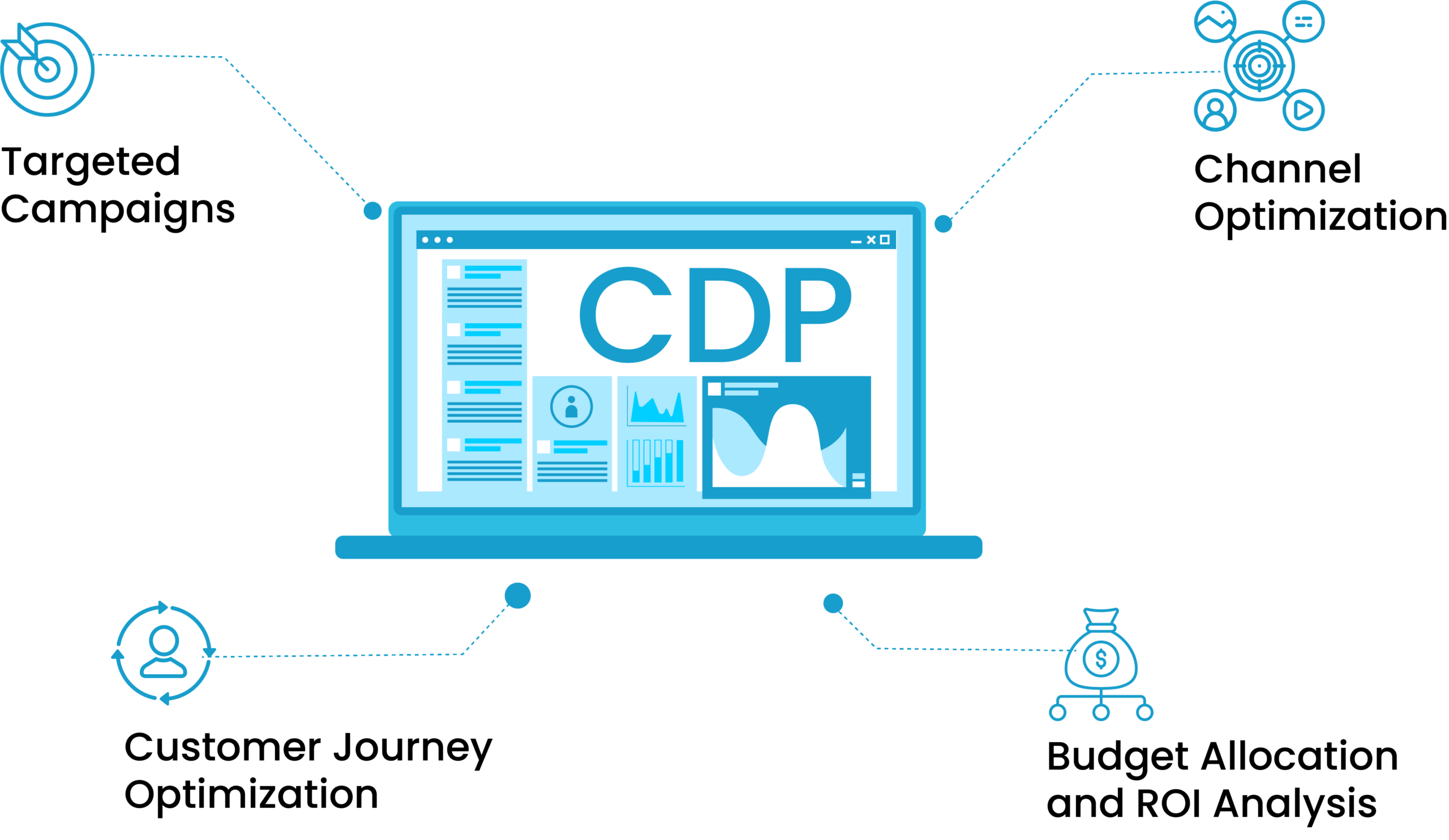
Here are the tips on how a CDP services helps to activate customer data and optimize marketing spending:
1. Targeted Campaigns:
Businesses can create highly targeted marketing campaigns only when they understand their customers deeply. CDPs foster customer understanding by segmenting customers based on their characteristics and past interactions so companies can personalize their messaging and offers.
This targeted approach increases the effectiveness of marketing campaigns and reduces wasted resources on reaching irrelevant audiences.
2. Channel Optimization:
CDPs analyze customer data to identify the most effective channels for customer engagement. Businesses can allocate their marketing budget wisely by determining which channels-such as email, social media, or mobile-have the highest impact.
This ensures that resources are focused on channels that yield the best customer engagement and conversion results.
3. Customer Journey Optimization:
Businesses can map the customer journey using CDP data and identify key touchpoints and motivational information. This insight allows them to optimize their marketing spending by strategically investing in activities that significantly influence customers to convert.
CDP data also help them understand where customers are in their journey so they can deliver relevant messaging that motivates them to convert.
4. Budget Allocation and ROI Analysis:
CDPs also provide insights into the performance of marketing campaigns. Businesses can analyze customer interactions, conversions, and revenue generated and measure the ROI of their marketing efforts.
This information provided by the CDPs helps them make informed decisions about budget allocation, ensuring that marketing spending is directed towards initiatives that yield the highest ROI.
Unlock the Potential of Your Data with a Customer Data Platform
In today’s data-driven world, the importance of customer data platforms for businesses cannot be overstated. As customer journeys and data complexity continue to evolve, the significance of CDPsservices is expected to grow even further in the coming years.
The success of your business relies on how well you know your customers. 78% of data leaders believe that businesses must have real-time data. By investing in a reliable customer data platform, you can make informed business and marketing decisions based on real-time, up-to-date customer insights.
If you’re ready to move to the next step of personalizing customer experiences, a customer data activation platform is the right tool for you.
Contact Us
Tell us about your goals. We will connect you with the right specialist.






 Key Benefits: