Hello There!

Lorem ipsum dolor sit amet, consectetur adipiscing elit,

 About Bhagyoday Tekchandani

Bhagyoday is a Google certified Marketing-Analytics consultant and works as a : Sr. Consultant - Digital Analytics at Tatvic . He has done his masters in business administration specializing in Marketing. He holds a key interest in data visualization and deriving key insights and recommendations.

Safeguard your Universal Analytics historical data with Tatvic

Hey there data enthusiasts! It’s time to talk about something crucial for all of us - safeguarding our precious historical data from the dearly departed Google Analytics 3 (UA). With the sun setting on UA, we must shift our focus to the future - Google Analytics 4 (GA4). But hold on a sec! Before we dive headfirst into GA4, let’s not forget the valuable insights buried in our historical data.

Do I need to export UA data?

Oh, absolutely! Your historical data is like buried treasure. With UA’s collection capabilities now put to rest, you’ve got about six months to rescue your historical data from the abyss. Trust me; you don’t want your decision-making to take a hit later on, do you?

How do I transfer historical data from UA to GA4? 

There are various solutions at your disposal. You could try the Google Sheets Add-On, or you can explore the Query Explorer for exporting data. But hey, remember your climbing gear because it can get a bit cumbersome. 

Here is where Tatvic swoops in to save the day! Their innovative solution lets you back up your data with minimal effort using APIs and stores it all into Big Query, where the magic happens. 

Imagine visualizing your data in Looker Studio - it’s like turning a dusty old manuscript into a captivating story! 

Will Google UA historical data be available until July 1, 2024?

Unfortunately, Google hasn’t set a specific date for the data’s grand disappearance. But let’s not test fate. Better be safe than sorry, right? So, let’s aim to wrap up this rescue operation before the dawn of 2024.

Can I keep using Universal Analytics? 

Ah, the million-dollar question! While UA may be gone with the wind, its successor GA4 is here to stay. Embrace change, my friends! GA4 brings new features, advanced tracking, and a fresh perspective. It’s time to bid adieu to UA and say hello to a more sophisticated data-driven future.

Using the power of automation, Tatvic can help you curate a custom solution based on your business needs and preserve your data

Data Preservation without Sampling: Unlike in GA3, our solution ensures data preservation without any sampling, allowing you to export data for over 10 years at a time.

Leveraging APIs for Data Extraction and BQ: APIs act as the seamless bridge between GA3 and Big Query (BQ). By leveraging APIs, we retrieve data from GA3 in a structured format, facilitating smooth integration into the pipelines. In response to the major drawback of GA3 - sampling, we’ve devised an innovative solution. Data is exported in batches based on a maximum threshold of 500,000 sessions, guaranteeing accurate representation while adhering to limits. This unique functionality sets our solution apart, enabling efficient data capture and transformation.

Storing Data in Big Query: All data is securely stored in Big Query, allowing us to leverage Google Sheets and Looker Studio for easy data transformation and utilization as needed.

Data Retention and Sampling Thresholds: An important consideration is the data retention period for the property. By default, it’s set at 26 months, limiting data export to about 2 years. However, many organizations opt for “Do not automatically expire,” enabling data export since the day data was collected in UA. Once we know the data retention and sampling thresholds, we export a set of predefined tables that combine matching dimensions and metrics based on scope. These tables are exported via APIs through the existing pipeline and stored in BQ.

Optimized Export Process: The export limit of 5000 rows at a time, along with high cardinality and sampling in larger date ranges, can lead to time-consuming processes. To address this, our solution is designed to have reports prepared beforehand, and exports are done in batches. This ensures efficiency and eliminates sampling issues in BQ.

Utilizing Looker Studio for Analysis: With Looker Studio’s powerful data visualization and analysis capabilities, we can effectively explore and analyze safeguarded data. Looker Studio provides advanced calculation tools, empowering organizations to derive meaningful insights and make data-driven decisions.

Conclusion: 

As the GA3 sunset demands immediate action to safeguard your data, our technical solution leveraging APIs, BigQuery, and Looker Studio offers a comprehensive approach. With a customized approach superior to basic standard reports and connectors, our solution ensures your data is protected, analyzed, and ready to give your organization a competitive advantage in the market. With extended support services, organizations can confidently navigate the technical challenges of data safeguarding and unleash the true potential of their protected data.
E-commerce Predictive Retargeting with Remarketing Analytics Guide

Shopping is a habit. 87% of shoppers now begin their hunt in digital channels while the others start with the search engine. These habits don’t guarantee that they’ll end up buying from the website where they started. Over 30% of people visit two or more stores during their buying journey. 

Shoppers visit other stores because they want a better selection, product availability, better info or shipping options. Remarketing leverages these touchpoints to motivate these shoppers to break the pattern of their habits and consider whatever you’re offering. 

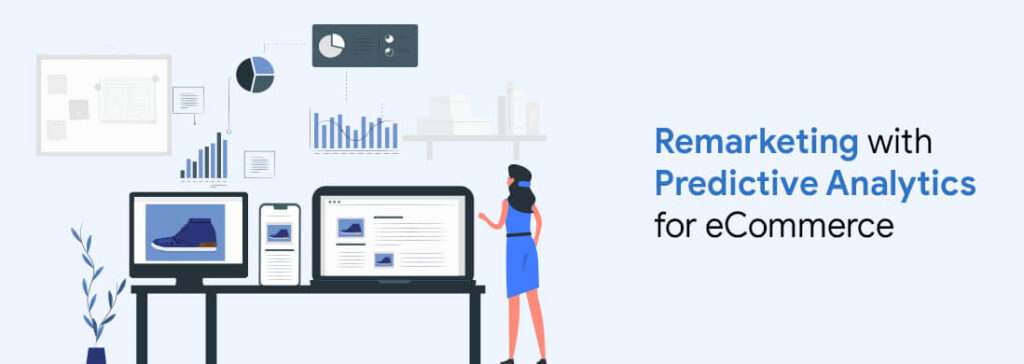
A remarketing campaign showcases advertisements to people who’ve visited your website at least once. It works by tagging your users with data - a cookie that contains details about the visits on your website and the products they’re viewing. This cookie then triggers advertisements on other websites. This is where e-commerce predictive data analytics plays a key role. It helps deliver highly targeted remarketing ads that are more likely to convert by analyzing user behavior patterns.

Why know your prospect’s purchase probability?

Many studies have pointed out to the fact that remarketing campaigns are more effective, in conversions, when compared with email or search. Add an example of the study that you are mentioning here with proper citations.. 

The question is - At what cost? Not all people who visit your e-commerce website are genuinely interested in buying something. Your remarketing costs encompass all impressions and clicks of your visitors, with an alignment between CAC and LTV. Predicting consumer behaviour and then personalising banner ads will help with optimising your remarketing campaigns -  a problem that’s difficult to get by segmenting your customer behaviour. 

These predictions, when combined with machine learning capabilities, can help detect patterns in old data by looking for common points in the online behaviour of remarketed customers who’ve purchased something in the past 30 days. To understand the types of predictive patterns the algorithm is detecting, we’ll need to consider the shopping behaviour. 

Understanding E-commerce Shopping habits

According to a Salesforce survey about users’ browsing and buying behaviour

  • Half of the repeat buyers make their second purchase within 16 days of the initial purchase
  • 87% of shoppers now begin their hunt on digital channels 
  • On average, mobile shopping sessions are 32% shorter than desktop sessions
  • 64% percent of shoppers say they feel retailers don’t truly know them
  • During the 2018 holiday season, the average order value increased by 14% when shoppers acted on AI-powered product recommendations
  • 88% of retail and consumer goods marketers say personalization has improved their overall marketing program

These outcomes reveal significant insights into how customers are open to influence. This involves leveraging predictive data analytics, An effective remarketing strategy. An effective remarketing plan should be a balance between the consideration of your prospects, willingness to make rapid purchases, loyalty to your brand and the perceived value. 

Knowing the Purchase Probability

The machine learning part is for detecting patterns with sell probabilities. A research states that - there is a direct relation between the purchase probability and the store or site activity. Below figure gives a bird’s eye view of behavioural patterns. 

We did it!

One of our clients, who’s a mid sized fashion eCommerce retailer uses Facebook as their remarketing platform. This enables them to personalise advertisements by uploading their user list that’s segmented by interests when they crawled on your website. Just this setup helped our client generate a return on ad spend of about 15 percent and a conversion rate of almost 7 percent. We summarised that this figure could go further up if we filter out the users who have low probability of purchase. We then applied the detected probability patterns to the ongoing stream. Users who had more than 20 percent purchase probability were only included. This resulted in a rise by 4 percent in the ROI and 2 percent in the conversion rate. 

With a significant increase in both ROI and conversion rate, the result highlights the use of predictive remarketing. This Facebook setup also helped us explore other ways of remarking. For instance, the platform offers lookalike audiences option. This audience comes with similar traits like gender, age, interests, among others

You can always remove the audiences with low probability of purchase, improving your conversion rate of marketing campaigns. While users with a very high purchase probability are convinced of your offers and products. Advertising them may turn out to be redundant, moreover, it can turn them off. Excluding them will help you control your ad budget while improving profitability. 

Tatvic has developed a solution, PredictN, which has a predictive analytics framework that works on predictive machine learning model. It aims to generate Audience Segment (Qualified Visitors) that carries Highest Probability of Revisiting your site and getting Converted as a Customer within the next 7 days.

The objective is to facilitate predictive analysis for remarketing effectively to the Qualified Audience Segment only and get more conversions with the reduced marketing spend.

Predictive Analytics Solutions for E-commerce Businesses

Remarketing is one of the most effective ways for competing in the eCommerce space as long as your plan recognises the right target audience and consideration process. Our team can help you with insights about individual customer journeys, the products your prospects consider and the way in which they use their shopping cart. 

Once you’ve balanced your remarketing strategy, it can now be actioned by creating display ads with the right pair of products. The prediction algorithm can help you disseminate these ads to the right audience. As we noticed with our client, implementing a prediction algorithm can help you with improving your CAC-LTV ratio. 

Want to know more? We’ve got you covered. Contact us now to leverage the most effective predictive data analytics services!

Here’s how you can track conversions of your paid campaigns accurately with Google Tag Manager

You’ve just launched a paid campaign. You’ve done your research thoroughly, added in the best keywords and have a big vision of a grand success that you’ll eventually encounter. People will be chanting the name of your company on the streets and writing articles about your successful campaign. Like a kid on his birthday, you just can’t wait to see what you’re going to get, so you check on your campaign after just a few hours. What you see - No conversions. But that’s okay, campaigns take time to convert your prospects right? Now you check the following day - still no conversions, now the doubts creep in, you start questioning yourself and your strategy.  

What could’ve gone wrong? Your campaign is driving massive engagement and your sales people keep telling you the sales are up but it’s hard to say what’s driving these sales. Now you realise it wasn’t your campaign but your tracking. The feedback loop is broken but you don’t know why or how. You go to your developers and ask them why this is happening? They’re already busy with requests and don’t really understand why this need is urgent. 

Somehow after a few searches on the internet you find this article. This blog discusses troubleshooting Google ads, and other pixels that get fired on the same user actions.  

In this blogpost we’ll assume you’re already using a service like Google Tag Manager. If you’re not, what are you waiting for? Get it today - it’s free. Coding tags on pages and maintaining them is a long and complicated process. We’ve already talked about Tag governance, you can check that blog here. 

Before you go deep into troubleshooting  the configuration of your tag management, use a simple crawl on your website to ensure your tag container is on every page of your website

The first thing we need to know is how you’ve configured your triggers to fire. Are you using the most common pageview, an event? Or something else altogether? 

GTM makes it super easy to use Google Ad templates. You just need to enter your conversion id and label associated with the trigger you want to fire and include all the exceptions that may cause false positives. 

We’ve often seen marketers place click listeners on the submission form rather than waiting for the confirmation of form submission. It’s likely that you’ll end up over tracking as it’ll include all the incorrect submissions along with those that go through increasing your data

It may sound like the easiest thing in the world right now, but be sure to triple check your conversion ID and label data to make sure it’s the same across platforms. Many firms overlook this and end up facing a wall to get an answer to the problem when everything seems to fire in the right way. 

Ask yourself: Do your tags fire according to rules you’ve set? Does it fire on actions when it shouldn’t? 

To do this we need to go in ‘Preview Mode’ in the Google Tag Manager and start a test conversion. You don’t need a paid ad to test this as the conversion pixels should fire for all conversions and the platforms will match this back if they’ve tracked a user interacting with your ads. 

Note: Using preview mode will enable you to see what tags get triggered without publishing them. 

Now, you’ll be able to see the tags split in two sections ‘Tags that got fired’ and ‘Tags that didn’t get fired’. If the tags got fired - great, check the data passed along is right. If it didn’t get fired, then you might have an issue with your trigger. 

Next, click on the tag that didn’t get fired and check what rule wasn’t met. Sharing this data with your technical team will go a long way in understanding the issue at hand and make technical changes accordingly. 

Expert Advice: Why are your tags not tracking your conversions properly?

There are a plethora of reasons why your tags are not tracking conversions properly. I sat down with Ravi Pathak, CEO & Co-founder of Tatvic, to come up with a list of issues we come across and the most likely solutions to those problems.

Not Using Debugging Tools

Tag Assistant and Google Analytics Debugger are the most popular debugging tools you should know. Both of these tools are free to use and come in the form of Google Chrome extensions making it easy to install and use.

While Tag Assistant helps you troubleshoot various Google tags including GA, GTM, Adwords conversion tracking, among others.  GA Debugger is a must for eCommerce tracking. When enabled it displays all data that is passed to Google Analytics making troubleshooting much faster.   

Not Removing Old Google Analytics Implementation Completely

Once you’ve decided to take the ‘Agile’ route of moving away from Google Analytics to implementation through GTM, keep in mind the process is not easy. It doesn’t apply to small websites who have basic pageview tracking. You can just add a GTM container snippet, publish GA pageview tag and with it remove the GA tracking code from your website. If you have a larger website with complex tracking, many things can go sideways. 

Name says the most common issue we saw was the hardcoded link, tracking events, were missed by the developer. That’s why we always double check it now.  

Not Using GA Tracking ID as a User Defined Variable

Before going in too deep in the implementation of GTM you should first set up a constant GA tracking ID. Why? 

Name says, “All GA tags in GTM need a GA tracking ID. Everytime you create a tag you need to add that ID to every tag you create. Instead of manually typing the Tag ID in all events you can just edit one variable - GA ID. This will help you save a lot of time and effort. “ 

Too Many Auto Event Listeners

If you like to be concise with GTM, like we are, you’ve probably read most of our blogs on GTM, googled and tested a bunch of methods for using auto event listeners. The question here is: Are they all in your GTM containers? Do you use them on a regular basis? If your answer is Yes, then do you measure their data on a consistent basis? 

The problem here is companies track as many events as they can on their websites but they only use one-tenth of the data generated. The reports are filled with data that’s of no use.

For instance, scroll tracking is a great thing to have, but do you need it in every report? Do you need to track Youtube player interactions in every report? First you need to have a measurement plan in place and then track things that you need for that particular project. This will help you with page load times.

At Tatvic, we use a plethora of tools to track user interactions but we choose to push only the important ones. One, it helps us cut the noise out of the reports and two, it helps us stay in the monthly limit.

Tracking Forms with Click Trigger

Majority of starters who tried to build a form submission button trigger in GTM and failed, don’t know that form submission trigger doesn’t work in the majority of online forms. What do they do next when it doesn’t work? They select a click trigger as their next plan. Now, that’s a bad idea because click triggers tracks all Submit button clicks.  

Even when a user clicks the ‘Submit’ button, leaving the form empty, the data is recorded. As a result you’re overwhelmed with loads of false positives. 

The Bottomline is…

To remember and take a calculated and iterative approach to troubleshoot your problems and avoid facing a wall. Even the best developers get stuck. 

If you’re starting to implement GTM tracking and facing problems, get in touch with our agents to understand the ins and outs of it. Happy Testing!

Bot Icon
Bot Icon

Tatvic Bot

Explore About Tatvic and Services