Hello There!

Lorem ipsum dolor sit amet, consectetur adipiscing elit,

 About Prachi Talreja

Prachi is GAIQ certified Google Analytics consultant and works as a Customer Success Manager at Tatvic Analytics. She is keen to learn different analytical techniques and skilled in Data Analysis and Visualization.

GA4 Conversion Reports: Unveiling Actionable Insights for Growth

Google Analytics 4 (GA4), the next-generation analytics platform, offers robust features and advanced capabilities to gain deeper insights into conversions. 

In this blog post, we will explore the power of GA4 Conversion Reports and how they provide actionable insights to propel your business forward.

In GA4, conversion events are actions that hold specific value for your business. They represent the desired actions or goals you want users to take on your website or app. The specific events like purchase completion, lead generation, account creation, content download, and subscription of membership that can be marked as conversions depend on your business objectives. 

However, it’s also important to note that not all events can be marked as conversions. Some events like page views, button clicks, and time spent on the page may be more indicative of user engagement or interactions rather than directly leading to a specific business goal. 

Conversions are at the heart of engagement reports, representing the most crucial user interactions. These reports become visible once an event is designated as a conversion.

To mark an event as a conversion, an editor or admin access is necessary. It is possible to designate up to 30 events as conversions, allowing for comprehensive tracking and analysis of important user actions.

Admin > Property > Events


Conversion reports provide the most insight into the questions below.

  • Which marketing campaigns are driving the most conversions?
  • What are the most effective channels for customer acquisition?
  • How are users interacting with the website, and what actions lead to conversions?
  • Are there any drop-off points in the conversion funnel that need to be addressed?
  • Which products or services are generating the highest conversion rates?
  • How can we optimize the user experience to increase conversions?

Clicking on the specific event will provide access to detailed information about the conversion. This includes valuable insights into the channels through which the conversions are occurring. Additionally, the report will display a count of conversions, calculated based on the chosen conversion counting method. 

The Evolution of Conversion Reports:

GA4 introduces a paradigm shift in the way conversion reporting is approached. Unlike its predecessor, GA4 focuses on event-based tracking and allows you to define and track custom events that align with your specific conversion goals. This new approach provides more flexibility and granularity, enabling a deeper understanding of user interactions and conversion journeys.

Key Features of GA4 Conversion Reports:

a) Enhanced Funnel Analysis: GA4’s Conversion Reports offer an improved funnel analysis capability, allowing you to visualize and analyze each step of the user journey. With a holistic view of the conversion funnel, you can identify bottlenecks, drop-off points, and areas of improvement to optimize the conversion process.

b) Path Analysis: GA4 enables path analysis, which helps you uncover the different paths users take before converting. This feature offers valuable insights into user behaviour, allowing you to optimize your marketing campaigns and website experience accordingly.

c) User-centric Reporting: GA4 focuses on user-centric reporting, providing a more comprehensive view of individual users’ interactions and conversion activities. By understanding user behaviour at a granular level, you can personalize marketing efforts, enhance user experiences, and increase conversion rates.

d) Cross-Device Tracking: GA4 offers advanced cross-device tracking capabilities, enabling you to track users across multiple devices seamlessly. This feature provides a more accurate understanding of user journeys and attribution, helping you make informed decisions on cross-device marketing strategies.

Leveraging GA4 Conversion Reports for Growth:

a) Identify Conversion Opportunities: GA4 Conversion Reports empower you to identify untapped conversion opportunities. By analyzing the conversion funnel, user paths, and attribution models, you can uncover areas where optimizations can be made to drive more conversions.

b) Optimize Marketing Campaigns: GA4 Conversion Reports offer insights into the performance of different marketing channels, campaigns, and segments. By analyzing these reports, you can allocate resources effectively, optimize marketing efforts, and maximize ROI.

c) Personalize User Experiences: With user-centric reporting, GA4 Conversion Reports enable personalized experiences. By understanding user behaviour, preferences, and conversion patterns, you can deliver tailored content, offers, and recommendations, enhancing user engagement and conversions.

d) Continuous Improvement: GA4 Conversion Reports provide ongoing insights into user behaviour and conversion performance. By monitoring and analyzing these reports regularly, you can identify trends, detect anomalies, and make data-driven decisions to continuously improve your conversion strategies.

Conclusion:

GA4 Conversion Reports revolutionize the way businesses track and analyze conversions, providing actionable insights to drive growth. With enhanced funnel analysis, path analysis, user-centric reporting, and cross-device tracking, GA4 equips you with the tools to optimize conversions and enhance user experiences. By leveraging the power of GA4 Conversion Reports, businesses can gain a competitive edge, maximize conversions, and achieve long-term success in the digital landscape.

So, dive into GA4 Conversion Reports today and unlock a world of actionable insights that will transform your conversion optimization strategies.
Google Analytics(GA4) User Acquisition v/s Traffic Acquisition: Comparison Guide

GA4 is the latest version of the popular analytics platform, Google Analytics. With machine learning at its core, GA4 offers amazing features through which businesses and marketers can gain comprehensive insights about their web and app users.

We are planning to unlock the power of GA4 and understand how It is helpful to optimize business strategies for acquisition, engagement, and conversions and also showcase the exact difference between Google Analytics(GA4) User Acquisition v/s Traffic Acquisition reports.

How to leverage Acquisition reports in GA?

The acquisition is the first phase of the user’s lifecycle and is considered to be the most crucial stage of the lifecycle. The most challenging and critical stage of any business is to drive more traffic to the website. In GA4, acquisition reports are divided into four categories:

1. Google Analytics(GA4) Overview Report -

Overview reports provide a comprehensive and detailed overview of user behaviour and traffic acquisition. These reports are instrumental in gaining a deeper understanding of how users reach a website and their level of engagement. 

By linking Google Ads or Search Console with GA4 property, users can further enhance their analysis by accessing additional acquisition reports in addition to the default one. 

These additional reports offer valuable insights and visualizations that aid in comprehending the various channels through which users are acquired and how they interact with the website.

Acquisition-Overview
Acquisition > Overview

2. Google Analytics(GA4) User Acquisition Report -

The user acquisition report provides a comprehensive overview of how new users are accessing a website or app. By default, the report is organized based on the first-user default channel group, which can be further customized using first-user source and first-user medium dimensions.

The default channel grouping categorizes traffic sources based on predefined rules, allowing users to analyze their data in a more organized manner. Across various Analytics reports, data is presented according to this default channel grouping, which includes commonly recognized traffic sources such as Paid Search and Direct access. 

The User Acquisition report serves as a highly valuable tool for gaining profound insights into the initial sources that drive user acquisition for a website or app. 

It provides answers to critical questions such as 

  • How are new users discovering the website for the first time?
  • What is the level of user engagement with the site?
  • Which campaigns are performing the best or low in terms of acquiring new users?

Furthermore, this report also sheds light on the number of conversions achieved by new users and the total revenue generated by them. By leveraging the data and insights from the User Acquisition report, businesses can optimize their marketing strategies and make informed decisions to enhance user acquisition, engagement, and overall revenue.

The User Acquisition report offers users a wealth of invaluable insights regarding the sources that drive user acquisition, enabling them to optimize their marketing strategies effectively.

This report primarily focuses on the initial traffic source that directs users to the website or app. It serves as an exceptionally informative resource for answering key questions such as:

  • How do new users discover the website or app for the first time?
  • What are the patterns and extent of new user engagement with the website or app?
  • Which campaigns demonstrate the highest and lowest effectiveness in acquiring new users?
  • How many conversions are attributed to new users?
  • What is the total revenue generated by new users?

By leveraging the comprehensive data and insights derived from the User Acquisition report, businesses can make informed decisions and refine their marketing strategies to maximize user acquisition, enhance user engagement, and ultimately drive higher revenue.

Google Analytics(GA4) User Acquisition Report
Acquisition > User Acquisition

The user-acquisition report uses the first-click attribution model. It gives all credit for the conversion to the first-clicked ad and corresponding keyword. For any user, the value of this dimension will remain the same. For example, A user is initiating his first session with a Paid Search and further sessions with Organic Search, Direct Visits, etc. For this user, the first user default channel will always remain as Paid Search. The metrics that are visible in this report are only for new users for the selected date range.

3. Google Analytics(GA4)Traffic Acquisition Report -

The Traffic Acquisition report provides a comprehensive analysis of how traffic is being directed to a website or app. By default, the primary dimension of this report is the session default channel group, which can be further customized by incorporating other session dimensions. 

The main focus of this report is to examine the traffic sources that initiate user sessions on the website or app. This report proves to be highly valuable in gaining insights into the following key aspects:

  • How are users initiating their sessions on the website or app?
  • How are users engaging with the website or app across different data sources and with varying patterns of traffic?
  • Which campaigns are performing the best or the worst in terms of user engagement?
  • What is the overall engagement rate of all users?
  • What is the total revenue generated by all users?

Leveraging the Traffic Acquisition report enables businesses to make data-driven decisions to enhance user experience, increase revenue, and achieve their desired goals.

Google Analytics(GA4)Traffic Acquisition Report
Acquisition > Traffic Acquisition

The traffic acquisition report uses the last-click attribution model. It gives all credit for the conversion to the last-clicked ad and the corresponding keyword. For any user, the value of this dimension will be session-scoped. 

For example, A user is initiating his first session with a Paid Search and the second session with an Organic Search. For this user, sessions will be attributed to both channels accordingly. The report will be populated only for users who visited the website for the selected date range.

The conversions under this report will be attributed to the sources with which the session was initiated. The same calculation applies to other metrics as well. For the given example, If the user is performing a conversion in the second session, the report will look like this:

Session default channel group Users Sessions Conversions
Paid Search 1 1 0
Organic Search 1 1 1

4. Google Analytics(GA4) Google Ads campaigns report -

This report shows you how your Google ads are performing and how your Google ad campaigns are driving traffic and conversions. This report will get populated if Google ads are linked with GA4 property or with the help of proper UTM tagging.

Google Analytics(GA4) Google Ads campaigns report
Acquisition > Traffic Acquisition

If this report is not visible under the acquisition report, the same can be added with the help of the library - An editor or Admin role is a pre-requisite. 

This report includes dimensions and metrics based on Google Ad campaigns, and for some of them, dimensions like Google Ads Clicks, Google Ads cost, and Google Ads cost per click,  linking Google Ads with GA4 is a pre-requisite.

How do these reports help you to improve your acquisition strategy?

GA4’s acquisition reports offer valuable insights that enable data-driven decision-making and optimization of acquisition strategies. These reports provide answers to critical questions and facilitate corrective actions in the following areas:

a) Traffic Sources:

By analyzing these reports, you can gain a comprehensive understanding of the channels and campaigns that are driving traffic to your website. For instance, if you’re running ad campaigns to acquire new users, you can determine which campaigns are performing better and make informed decisions accordingly.

b) Cost vs Conversions:

These reports help you calculate the return on investment (ROI) of your app and web campaigns, allowing you to allocate your resources effectively. If certain campaigns are underperforming, you can make necessary adjustments to your campaign strategies.

c) SEO Improvements:

Analyzing organic user data helps identify the performance of landing pages and keywords. This information assists in making timely and appropriate decisions to improve SEO strategies and enhance organic traffic.

d) Targeted Campaigns:

By combining insights from acquisition reports with GA4 demographics and interest data, you can easily target relevant audiences. This approach facilitates the acquisition of interested users to your website, resulting in improved engagement and conversions.

What is the difference between Google Analytics (GA4) User Acquisition v/s Traffic Acquisition?

Feature User Acquisition Traffic Acquisition
1). Primary Focus How new users discover the website/app How traffic initiates user sessions
2). Key Questions Answered a). Source of new user discovery a). Source of session initiation
b). New user engagement level b). User engagement across sources
c). Performance of campaigns for new users c). Performance of campaigns for engagement
d). Conversions from new users d). Overall user engagement rate
e). Revenue from new users e). Total revenue from all users
3). Attribution Model First-click attribution Last-click attribution
4). Channel Grouping First-user default channel group Session default channel group
5). Customization Options First-user source and medium dimensions Session dimensions
6). Value Scope Remains constant per user Session-scoped for each user
7). Conversion Attribution Attributed to first-clicked ad/keyword Attributed to last-clicked ad/keyword
8). Example Scenario The user’s first session is always the basis Sessions attributed to different channels
9). Metrics Visibility Only for new users in the selected date range For all users in the selected date range
Conclusion:

In conclusion, GA4 empowers businesses to focus on high-performing channels and enables precise audience targeting. It provides an abundance of data about user acquisition and engagement. Additionally, GA4’s customization options allow you to add dimensions and metrics based on specific business requirements, providing flexibility and tailored insights. Stay tuned for the upcoming parts of this series, where we will delve into the analysis of user engagement using GA4’s engagement reports.

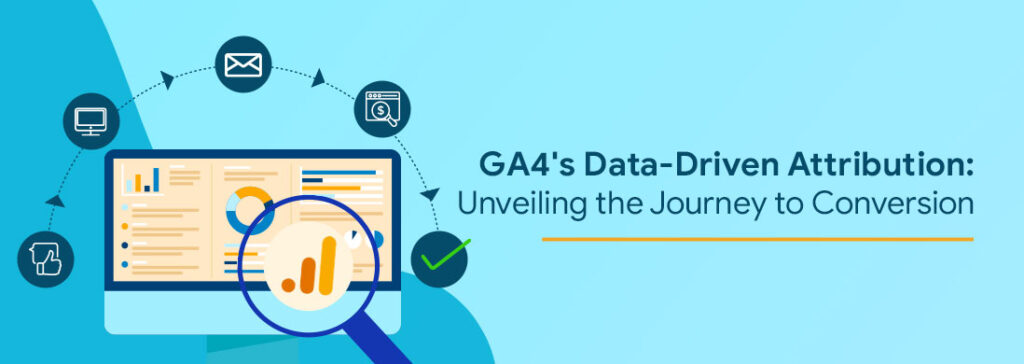
GA4’s Data-Driven Attribution: Unveiling the Journey to Conversion

With each day passing on, there are some new and exciting updates regarding GA4 capabilities. First, If you haven’t yet implemented GA4, you’ll want to do it ASAP as Universal Analytics will stop processing new data after Jun 20, 2023. 

GA4 Data-Driven Attribution Model is one of the key additions to its expanded features. In our last blog, we have already covered how data-driven attribution is helping marketers to understand their campaign performance.

With the spotlight,  data-driven attribution in GA4 is a dynamic attribution model that considers users’ journeys and attributes after evaluating both converting and non-converting paths. With the help of this, businesses are receiving more actionable insights about their marketing campaigns, giving a broader view of which channels are contributing to the conversions.

Data-driven attribution in GA4: How it works?

In our previous blog, we had an example where John is a prospective customer looking to buy a new T-shirt.

In this journey, John’s path to conversion was:

  1. Organic Search
  2. Paid Search
  3. Display Remarketing
  4. Shopping Ads

To assign credit to these channels, Google’s machine-learning algorithm will consider similar paths to conversion and calculate how crucial every channel is to play a role in the conversion. Hence, the model will consider the total converted users where these channels are included.

For example, If It needs to assign distributed credit to shopping ads. It will consider multiple paths.

Path A: Organic Search > Paid Search > Display Remarketing

Path B: Organic Search > Paid Search > Display Remarketing > Shopping Ads

Here, If the conversion probability of users following Path A is 2% and those who are following Path B is 8%, Shopping Ads might receive a larger share of credit than other channels within the path and vice versa.

With the help of data-driven attribution, Marketers and Businesses will be able to understand which channels are influencing the users to convert. Compared with all the rule-based models, data-driven attribution looks at the entire journey that leads a user to convert and allocates credit to each step in that journey.

How dynamic reporting in GA4 is getting more insightful with data-driven attribution?

Earlier in Universal Analytics, It was quite simple to refer to Source/ Medium and Channels for conversions. The same is true for GA4, but with some additional features that are helpful in deriving useful insights.

In GA4, there are three types for each of these dimensions. each of these types has a different scope and will provide different information.

  • First user default channel group: This is the first touchpoint the user ever came across. If a user lands on your website via organic search, their first channel will always remain Organic Search. The first user default channel group is the default traffic dimension in the User acquisition report.
User Acquisition report

This report will assign revenue credit (100%) to the first touchpoint and as the name suggests,  It will remain the same regardless of which attribution model is getting selected for reporting attribution model.

  • Session default channel group: This assigns 100% credit to the channel that is initiating a session where conversion is happening and It won’t get impacted by the attribution model that is selected for reporting attribution model. This is the default dimension in the Traffic acquisition report.
Traffic Acquisition report

This report will assign revenue credit (100%) to the touchpoint through which the session where the user is converted has been initiated.

  • Default channel group: This dimension is completely event-based and will assign credit on the basis of the attribution model selected in GA4.In the screenshot, the conversions are decimal, as the same has been assigned credit via a data-driven attribution model.
Conversion report
Conversion report

All these dimensions will give you different data and different insights. In the case of our example, 

Channels
Dimension Organic Search Paid Search Display Remarketing Shopping Ads
First user Default channel-group 100% - - -
Session Default channel-group - - - 100%
Default channel-group 20% 15% 35% 30%

As a thumb rule, You can consider the below definitions for these dimensions:

  • First user Default channel-group - The first channel of the user which will never change.
  • Session Default channel group - The channel through which the user has initiated the session, which will change as and when he interacts with any other channel.
  • Default channel group - The channel where you would find changes in assigning credit on the basis of the attribution model selected.

Conclusive Thoughts

There is no doubt that Google’s data-driven attribution is helping marketers to understand those key channels that were otherwise unnoticed. It not only sustains the traditional last click and first click but also enhances the overall reporting of conversions.

With its uniqueness, the data-driven attribution model will help you identify those campaigns that are actually convincing the users to get converted, and It might not be the first or last touch points that the users come across. So, It’s the best time to shift your focus to GA4!!

Custom Channel Grouping in GA4: Analyze your channel performance more accurately

GA4 continues to evolve and empower businesses with its advanced analytical capabilities. One such addition to its arsenal is the custom channel grouping feature, which has been eagerly anticipated by many. While GA4 already includes default channel grouping based on predefined rules for classifying your app/website’s traffic sources, running multiple campaigns with varying source/medium values may result in traffic being classified as Unassigned.

With custom channel grouping, you can define your own channel groups based on your unique rules and combinations of traffic sources, allowing for a more accurate analysis of your channel performance. This new feature provides a powerful tool to gain deeper insights into your app/website’s traffic sources and their respective impact on your business.

Once you create a custom channel group, You can use this in the default acquisition report as a primary or secondary dimension. You can also use these in explorations, segments, and audiences. As of now, the dimensions are not available in big query or looker studio. These should be created strategically as there is a limit to groups and channels within each group.

  Standard properties 360 properties

(includes sub and rollup properties)

Groups 2 5
Channels within each group 25 25

The best part is that a predefined channel group is not part of these limits. Hence, for standard properties, you will see 3 channel groups whereas, for 360, It will be 6.

Why is there a need to create a custom channel group?

Default channel groups in GA4 are getting reported on the basis of definitions defined by Google. If you want to analyze your traffic sources by defining your own rules of the channel, a custom channel group is the best feature. You can create these groups by defining channel conditions on the basis of source, medium, campaign name, campaign id, source platform, and existing default channel group. 

Talking about default channel groups, It is not possible to edit any of the values and you must have observed “Unassigned” in all your channel reports. This made analyzing channel performance almost impossible. By creating custom channel groups, you can get rid of this Unassigned and analyze your traffic sources perfectly.

Unassigned - Channel report


new-channel-window
Create new channel window - within the custom channel group

Source Image: GA4 Dashboard

For example, if you are running email campaigns with source equals e-mail round 2 and medium equals online email. This doesn’t belong to any conditions under default channel groups. Hence, It will be part of the Unassigned channel. In such scenarios, custom channel groups will be helpful in giving the correct picture of your channel 

Steps to create and edit Custom channel group

Navigate to the admin panel and click Data Settings > Channel Groups under Property settings. By default, It will only contain the default channel group and will add custom channels once you create the same. 

  • Click Create New channel group and It will make a copy of the default channel group. 

OR 

Click and Copy to create new.

  • The group name and description(optional) should be relevant enough to identify the channel group as this name will be part of the reporting.
  • You can edit channel definitions, add new channels, remove channels, and also reorder the same in order to create new definitions. [While reordering, don’t forget to consider that the traffic will be included in the very first channel whose conditions will get matched]
  • Once you are done with all the steps, Click Save Group.

The best part is that custom channel groups are retroactive. Once you create this, you can retroactively use this dimension under all applicable reports.

channel-group-window
Channel groups window


Create a new channel groups window

How can you generate Insights with the help of custom channel groups?

Once you create custom channel groups, It is important to understand how can you use these to generate insights that will be useful to understand how are you acquiring traffic to your website and which channels are contributing to conversions.

For example, you want to analyze how many conversions are happening through the Facebook channel at an aggregate level. For the same, you can create a custom channel grouping with the below conditions:

Source contains Facebook

This condition will include all traffic from Facebook, and you will be able to analyze your traffic better. In a similar way, you can analyze your users and conversions from multiple marketing channels like e-mail, Twitter, etc with the help of this. Deriving actions based on these groups will be much easier and more effective

Conclusive Thoughts

Within GA4 reporting, you can refer to custom channel groups the exact way you were earlier referring to the default channel group and even in a more structured way. Truly, data dominates and GA4 is ready to provide structured data and AI insights to help marketers take data-driven decisions. Our free GA4 Instant audit will help you identify the gaps and improve your GA4 setup to have more structured data.

Bot Icon
Bot Icon

Tatvic Bot

Explore About Tatvic and Services