Hello There!

Lorem ipsum dolor sit amet, consectetur adipiscing elit,

Top-10 User Experience Fundamentals to Skyrocket Mobile Conversion Rate

Top-10 User Experience Fundamentals to Skyrocket Mobile Conversion Rate

In today’s mobile-first world, conquering the “thumb scroll” is no longer a luxury, it’s a necessity. With over 73% of web traffic originating from smartphones [source: Statista, mobile traffic share 2022], a seamless mobile user experience (UX) is the cornerstone of conversion rate optimization (CRO). 

But how do you transform your mobile app or website from finger-fumbling frustration to a conversion machine?

The answer lies in strategic fundamentals of user experience design that cater to the unique needs of mobile users. 

Here are Top-10 proven User Experience Fundamentals to Skyrocket Mobile UX and elevate your mobile conversion rates:

User Experience Fundamentals

1. Prioritize Speed: The Impatient User’s Ally

One of the very basic UX fundamental design principles is speed. Imagine waiting for a webpage to load on your phone. Frustrating, right? A slow mobile experience is a conversion killer. Studies show that a one-second delay in mobile load time can decrease conversions by 7%  [source: Kissmetrics, Impact of Website Loading Speed on Conversion Rate].

Here’s how to ensure a lightning-fast mobile experience by leveraging mobile conversion rate optimization services to speed up load times:

  • Image Optimization: 

Compress large images without sacrificing quality. Tools like TinyPNG can significantly reduce file size.

  • Minify Code: 

Eliminate unnecessary code elements like whitespace and comments to streamline page loading.

  • Mobile-Specific Caching: 

Implement caching strategies to store frequently accessed content locally on user devices, minimizing server load times.

2. Craft a Navigation Made for Thumb

CRO experts also called this principle one of the top conversion rate optimization fundamentals.

Complex desktop navigation menus become cumbersome labyrinths on mobile screens.  Here’s how to create a mobile-friendly navigation system with active assistance from mobile conversion rate optimization services:

  • The Hamburger Menu: 

This ubiquitous icon is a familiar friend for mobile users. Ensure it’s easily accessible and displays essential categories.

  • Prioritize Key Functions: 

Place frequently used functions like search bars, shopping carts, and account logins within easy thumb reach, typically at the bottom of the screen.

  • Limit Menu Levels: 

Deeply nested menus lead to user frustration. Aim for a flat or two-level navigation structure for optimal usability.


3. Embrace the Power of Touch-Friendly Design

Buttons, links, and forms designed for desktop mouse clicks become clunky on touchscreens. Here’s how to make your mobile interface finger-friendly by leveraging mobile conversion rate optimization services:

  • Increase Button Size: 

Ensure buttons are large enough for easy tapping, even with less-than-precise fingers. Aim for a minimum target area of 48dp x 48dp.

  • Ample Spacing: 

Provide generous spacing between clickable elements to avoid accidental taps.

  • Prioritize Functionality Over Aesthetics: 

While maintaining a visually appealing design, prioritize functionality. Large, clear buttons are more important than intricate details.


4.  Search that Doesn’t Make You Search (for the Search Bar)

A well-designed search bar is a mobile user’s lifeline. Here’s how to make yours shine with conversion rate optimization services:

  • Prominent Placement: 

Place the search bar in a readily accessible location, ideally at the top of the screen.

  • Auto-complete and Suggestions: 

Utilize auto-complete features and suggest relevant searches as users type to expedite navigation.

  • Voice Search Integration: 

Consider incorporating voice search functionality for a truly hands-free experience.


5.  Clear Calls to Action

Your call to action (CTA) is the final nudge that converts a browsing user into a paying customer.  Here’s how to craft compelling CTAs for mobile with the most efficient mobile conversion rate optimization services:

  • Strong Verbs, Clear Benefits: 

Use action-oriented verbs like “Buy Now” or “Sign Up” and couple them with clear benefits to incentivize user action.

  • Eye-Catching Design: 

Make your CTAs stand out with contrasting colours and clear text. Consider using a larger font size for optimal readability.

  • Strategic Placement: 

Position CTAs strategically at the end of product descriptions, near shopping cart icons, or after informative content.


6.  Simplify Forms: Less is More

Lengthy forms are a conversion roadblock. Here’s how to streamline your mobile form with conversion rate optimization services:

  • Collect Only Essential Information: 

Only request information essential for the user’s action. Consider offering guest checkout options for faster purchases.

  • Auto-fill Magic: 

Utilize auto-fill features to pre-populate fields with user data stored on their device.

  • Mobile Keyboard Optimization: 

Ensure forms are optimized for mobile keyboards, including larger input fields and clear labelling.


7.  Product Images: A Picture is Worth a Thousand Sales

High-quality product images are crucial for mobile conversions. Here’s how to optimize your mobile product imagery with efficient conversion optimization services:

  • Fast Loading Images: 

As discussed earlier, prioritize image optimization to ensure quick loading times.

  • Multiple Angles and Zoom Functionality: 

Showcase products from various angles and allow users to zoom in for detailed inspection.

  • High-Resolution on All Devices:

Ensure high-resolution images adapt seamlessly to different screen sizes.


8. Leverage the Power of User Reviews and Social Proof

Social proof is a powerful tool for building trust and influencing purchase decisions. Here’s how to leverage it on mobile:

  • Customer Reviews and Ratings: 

Display prominent customer reviews and ratings to add credibility and social proof.

  • Social Media Integration: 

Integrate social media buttons to allow users to easily share their experiences or favourite products.

  • User-Generated Content: 

Encourage user-generated content by featuring customer photos or reviews on your mobile platform.


9.  Master the Art of Mobile-Friendly Payment Options

A seamless checkout process is essential for mobile conversions. Here’s how to optimize your mobile payment options:

  • Multiple Payment Gateways: 

Offer a variety of popular payment methods like credit cards, digital wallets (e.g., Apple Pay, Google Pay), and buy-now-pay-later options.

  • Guest Checkout: 

Allow guest checkout options for faster transactions, especially for first-time buyers.

  • Secure Payment Environment: 

Ensure a secure payment environment with clear security badges and encryption protocols.


10. A/B Testing: The Continuous Improvement Engine

The mobile UX landscape is constantly evolving. Here’s how to stay ahead of the curve by adopting the following mobile conversion rate optimization services:

  • A/B Testing: 

Implement A/B testing strategies to compare different design elements, layouts, and CTAs. This data-driven approach helps you identify what resonates best with your mobile audience.

  • Heatmaps and User Session Recordings: 

Utilize heatmaps and user session recordings to gain valuable insights into user behaviour on your mobile platform. Analyze where users tap, scroll, and drop off to identify areas for improvement.

  • User Feedback: 

Actively solicit user feedback through surveys or in-app prompts. This direct feedback loop provides invaluable insights into user needs and preferences.


Conclusion: The Mobile-First Mindset

By prioritizing these 10 mobile user experience design fundamentals, you can create a user-friendly and conversion-focused mobile experience. Remember, a seamless mobile journey is no longer a competitive edge, it’s the table stakes in today’s mobile-first world. Embrace the power of mobile UX optimisation and watch your conversion rates soar!

How competitor analysis helps in creating better App UX design?

How competitor analysis helps in creating better App UX design?

Imagine pouring your heart and soul into building an app, only to discover later that it doesn’t resonate with users. Yikes! To avoid this scenario, a user-centric approach is crucial. But how do you ensure you’re solving a real problem for real people? This is where competitor analysis for enhancing App UX design comes into the picture.

Think of it like building a house. You wouldn’t just start throwing bricks together, would you? First, consider the neighbourhood - the existing infrastructure, the overall vibe, and what amenities are available or lacking.

Competitive analysis is like that blueprint, helping you understand the “neighbourhood” of your app - the existing players, their strengths and weaknesses, and any gaps in the market.

Why Competitive Analysis is Crucial for User-Centric Design

Let’s delve deeper into why competitive analysis is a must-do for creating a user-centric app:

1. Identify User Needs and Pain Points: 

By analyzing competitor apps, you’re essentially eavesdropping on real user experiences. You can discover what features users find valuable and what frustrations they encounter in existing solutions. This goldmine of information allows you to pinpoint unmet needs and tailor your app’s functionalities to address them directly.

For example, imagine you’re developing a language-learning app. Analyzing competitors might reveal that users find vocabulary building difficult but love the gamification elements in another app. By understanding this, you can focus on creating a robust vocabulary section while incorporating engaging game mechanics to keep users motivated.

2. Learn from Best Practices: 

The competitive landscape is a treasure trove of successful design patterns and interaction models. Studying what works well for your competitors allows you to borrow (with a twist, of course!) these elements and create a familiar and intuitive experience for your users. Think of it like learning from the successes (and failures) of others.

Imagine a competitor’s music streaming app has a fantastic layout for browsing playlists. By analyzing this, you can incorporate elements like clear genre categorization and visually appealing thumbnail previews into your own music app, giving users a head start on finding the music they love.

3. Discover Differentiation Opportunities:  

Competitive analysis isn’t just about copying; it’s about finding your unique selling proposition (USP). Analyze competitor weaknesses to identify areas where your app can excel. This could be through innovative features, a more streamlined user flow, or a superior visual design.

For example, analyzing fitness apps might reveal that many have complex workout routines but lack a strong social support system. This paves the way for your app to focus on creating a vibrant fitness community, allowing users to connect, share goals, and motivate each other.

4. Stay Ahead of the Curve: 

In the fast-paced world of apps, staying relevant is key. Competitive analysis helps you stay informed about the latest trends in your app category. By understanding what features are gaining traction and becoming user favourites, you can ensure your app remains current and competitive.

Imagine a competitor’s food delivery app introduces a “live order tracking” feature that proves to be a hit. By analyzing this trend, you can implement a similar feature in your app, keeping your users engaged and informed throughout the ordering process.

Building a Seamless Application UX Design: Three Steps to Success

Now that we’ve established the importance of competitive analysis, let’s explore how to translate it into a user-centric UX design:

1. Follow Industry Trends: 

Research popular apps in your category and analyze user reviews to understand what’s resonating with users. Identify common pain points and emerging trends. This knowledge will guide your design decisions and ensure your app feels fresh and relevant.

2. Conduct a SWOT Analysis: 

This powerful tool allows you to assess your Strengths, Weaknesses, Opportunities, and Threats. Analyze your competitors through this lens to understand their strengths and weaknesses (opportunities for you!). Identify the gaps in the market where your app can shine.

For example, a SWOT analysis of a competitor’s photo editing app might reveal a strength in easy-to-use filters but a weakness in advanced editing tools. This presents an opportunity for your app to cater to professional photographers by offering a robust suite of editing tools alongside user-friendly filters.

SWOT Analysis of Competitor's photo editing app.

3. Competitive Analysis: 

Now, let’s dive deeper into the nitty-gritty of analyzing competitor apps. Here are some key aspects to focus on:

  • Target Audience: 

Who are they targeting? Understanding your competitor’s target audience helps you determine if their approach aligns with yours. Are they aiming for casual users or professionals? This will influence your app’s overall design and functionalities.

  • Value Proposition: 

What problem are they solving for their users? Analyze how they communicate their value proposition and how it resonates with their target audience. What promises are they making, and how effective are they?

UX Competitive Analysis

Conclusion:

Competitive analysis helps you understand the app landscape, what users need, and where your app can excel. This empowers you to design a user-centric app that stands out from the competition.

How to get Google Maps API key for your Business? A Step-by-Step Guide (Video)

How to get google maps api for business?


Today, we’re excited to walk you through the process of creating a Google Maps API using Google Cloud projects. Whether you’re a seasoned developer or just starting, this comprehensive guide will equip you with the knowledge and tools you need to succeed.

Step1. Project Creation:

Begin by visiting console.cloud.google.com. Create a project within the Google Cloud console - a crucial step in building your Google Maps API.

Step2. Prerequisites:

Before crafting your API, ensure two prerequisites are met - your project is part of Google Cloud projects, and it’s linked to an active billing account. We’ll use our demo project, Tatvic, under the organization of tatvic.com, with Tatvic internal maps as an example.

Step3. Validating Billing:

Check your billing by navigating to ‘Billings’ to confirm it’s linked to your project. This connection allows seamless creation of the Google Maps API.

Step4. API and Services:

Navigate to the sidebar, go to ‘API and services,’ and click on it. Proceed to the library to create specific Google Maps API, such as the Google Maps JavaScript API.

(Note: Some APIs are pre-enabled in our demo project.)

Step5. Enabling Google Maps JavaScript API:

Click ‘Enable’ to activate this API.

Step6. Creating API Key:

To utilize the API, generate a key. Visit ‘Key and Credentials,’ create a credential, and select the ‘API key’ option. Share this key with your developers for utilization.

Step7. Adding Security Measures:

For additional security, restrict the API key. Set key restrictions for websites, limiting usage to specific domains, such as tatvic.com. This ensures API usage is restricted to designated domains only.

We currently have an unrestricted API key, but we want to limit it to Google Maps APIs only. Name it ‘Maps JavaScript API Key’ and save your changes.

Share the API key with your development team, and they’ll be ready to integrate it into your project.

Conclusion:

In conclusion, mastering the creation of Google Maps API using Google Cloud projects is a pivotal step for developers of all levels. By following this comprehensive guide and ensuring adherence to security measures, such as API key restrictions, you’ll be well-equipped to seamlessly integrate powerful mapping capabilities into your projects and enhance user experiences.

How to utilize Google Maps API for Business? (2024 Guide)

How to utilize Google Maps API for your Business?

One of the powerful tools that has revolutionized the way businesses interact with location data is the Google Maps Platform. With its versatile Application Programming Interface (API), developers can integrate the functionality of Google Maps seamlessly into their websites and applications, opening up a plethora of opportunities to enhance user experience and drive business growth.

Understanding the Google Maps API

The Google Maps API is a set of programming instructions that grants developers access to the wealth of data and functionality offered by Google Maps. From displaying interactive maps to finding directions and locating businesses, the API empowers developers to leverage Google’s extensive mapping capabilities within their digital platforms.

Key Features of Google Maps API

Key Features of Google Maps API

Google Maps API Feature 1: Map Display

Integrate dynamic and interactive maps into your website or application to provide users with a visual representation of geographic data.

Google Maps API Feature 2: Geocoding

Convert addresses into geographic coordinates (latitude and longitude) and vice versa, enabling precise location-based services.

Google Maps API Feature 3: Routing and Directions

Offer users accurate directions between multiple locations, complete with various transportation modes and real-time traffic information.

Google Maps API Feature 4: Places API

Access detailed information about millions of businesses, landmarks, and points of interest worldwide, facilitating location-based search and discovery.

Google Maps API Feature 5: Street View

Embed immersive street-level imagery into your application, allowing users to explore and navigate real-world locations virtually.

How to Leverage Google Maps API for Business? 

How to Leverage Google Maps API for Business?

One of the most common applications of the Google Maps API in the business realm is facilitating location-based services and enhancing customer engagement. Here’s how you can harness the power of Google Maps Platform to benefit your business:

1. Location-Based Marketing and Search:

Integrate the Places API into your website or mobile app to enable users to discover nearby businesses, restaurants, hotels, and other points of interest. Implement features like “find businesses near me” to provide personalized recommendations based on the user’s current location, driving foot traffic to local establishments.

2. Optimized Logistics and Fleet Management: 

For businesses involved in transportation or delivery services, leverage the Routing and Directions API to optimize route planning and streamline fleet management operations. Calculate the most efficient routes, considering factors such as traffic conditions, distance, and vehicle restrictions, to ensure timely deliveries and cost savings.

3. Enhanced Customer Experience: 

Embed interactive maps within your e-commerce platform to facilitate seamless location-based shopping experiences. Allow customers to visualize store locations, check product availability, and even reserve items for in-store pickup, thereby bridging the gap between online and offline shopping channels.

4. Geospatial Data Analysis:

Utilize the Geocoding API to enrich your business intelligence efforts by geocoding customer addresses, analyzing geographic trends, and visualizing spatial data. Gain valuable insights into customer demographics, market penetration, and competitor locations to inform strategic decision-making and marketing campaigns.

5. Real-Time Location Tracking:

Integrate the Google Maps API with your mobile applications to enable real-time location tracking and geofencing capabilities. Enhance safety and security for on-demand services, fleet tracking, or field service management, ensuring efficient resource allocation and timely responses to customer requests.

Getting Started with the Google Maps Platform

Getting Started with Google Maps Platform

Now that you’re aware of the myriad benefits offered by the Google Maps API for businesses, let’s explore how you can begin leveraging this powerful platform:

Step1. Sign Up for a Google Maps API Key

To access the Google Maps API, you’ll need to sign up for a Google Cloud Platform account and obtain an API key. This key serves as a unique identifier for your application and authenticates your requests to the API. Google offers a range of pricing plans, including a free tier for low-volume usage and scalable options for businesses with higher demands.

Check out our detailed video tutorial titled “How to Obtain a Google Maps API Key.” This video provides a step-by-step guide on acquiring the Google Maps API, making the process easy to follow and understand.

Step2. Choose the Right APIs for Your Needs

Evaluate your business requirements and select the appropriate Google Maps APIs that align with your objectives. Whether you need geocoding services, mapping capabilities, or location-based search functionality, Google offers a comprehensive suite of APIs to suit various use cases.

Step3. Integrate the API into Your Application

Follow the documentation and developer guides provided by Google to seamlessly integrate the chosen APIs into your website, mobile app, or backend infrastructure. Leverage SDKs (Software Development Kits) and code samples to expedite the development process and ensure compatibility across different platforms.

Step4. Customize and Enhance User Experience

Experiment with the myriad customization options available within the Google Maps API to tailor the user experience according to your brand identity and design preferences. Implement features such as custom markers, overlays, and styling to create visually stunning and intuitive interfaces that captivate your audience.

Step5. Monitor Performance and Scale as Needed

Regularly monitor the usage and performance metrics of your Google Maps API implementation using the analytics dashboard provided by Google Cloud Platform. Evaluate usage patterns, API quotas, and billing statements to optimize costs and scale your infrastructure as your business grows.

Conclusion:

In conclusion, the Google Maps Platform offers a wealth of opportunities for businesses to harness the power of location data and deliver compelling experiences to their customers. Whether you’re looking to enhance marketing efforts, streamline operations, or analyze spatial trends, the Google Maps API provides a versatile toolkit to address a wide range of business needs. By leveraging the capabilities of Google Maps Platform, businesses can unlock new avenues for growth, innovation, and customer engagement in today’s digital landscape. So, why wait? Start exploring the possibilities and embark on your journey towards location-powered success with Google Maps today!

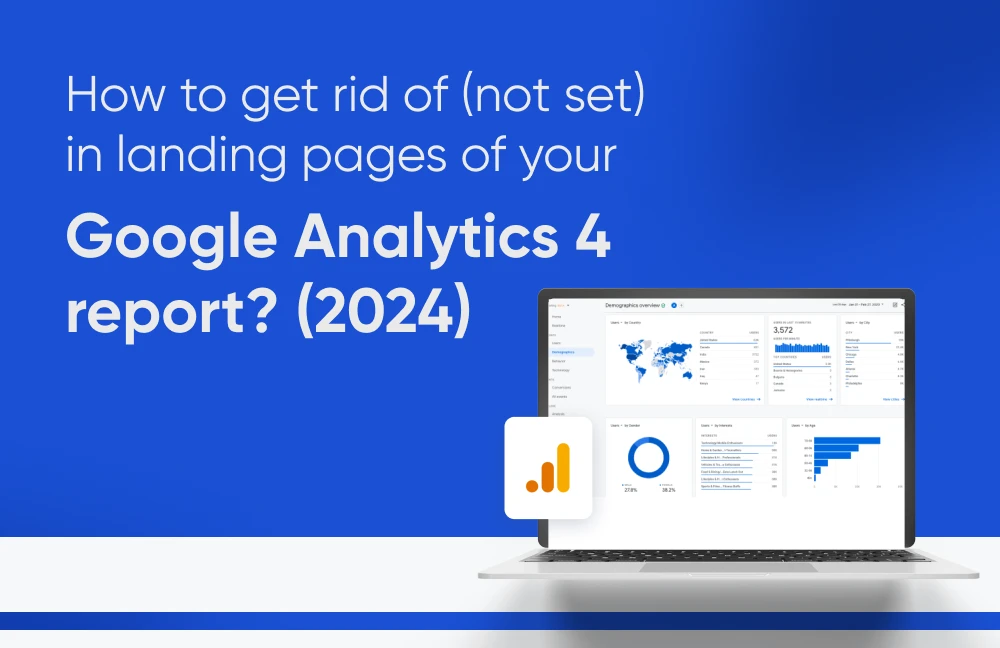
How to get rid of (not set) in landing pages of your Google Analytics report?

Have you ever encountered the “(not set)” value in your Google Analytics Landing Page reports? Google Analytics landing page not set is a seemingly innocuous phrase that can be frustrating, as it leaves you without vital information about where your website visitors are starting their journeys.

What is ‘(not set)’ in Google Analytics Report?

Google Analytics assigns the value ‘(not set)’ when it has not received any information for the dimension you have selected. This often occurs in the Landing Page report, signifying that Google Analytics couldn’t capture the starting point (first page viewed) for a user’s session.

Image showing (not set) in Google Analytics (GA4) reports.

The Landing Page dimension in Google Analytics is the first page or screen a user encounters upon visiting your website or app. This data is invaluable for website performance optimization, particularly when conducting A/B testing.

Encountering “(not set)” in your Landing Page reports can be a red flag for potential tracking issues. This blog post dives into several common reasons I’ve encountered while working with clients, along with solutions to help you tackle them and gain clearer insights into your website traffic.

Problem #1: Session Expiry:

In Google Analytics, if a user is inactive for 30 minutes, their session ends. Inactivity is measured from their last interaction on your website. If any event occurs after the session ends, Google Analytics marks the Landing Page value as “(not set).

Consider this scenario: a user visits your website, explores several pages, and then leaves one page open without any activity. If, after 30 minutes of inactivity on that page, the user returns and interacts with it again, this will trigger a new session in Google Analytics. However, since the session expired due to inactivity, the landing page for this new session will be marked as “(not set).”

This situation commonly occurs on websites with lengthy content or embedded videos, as well as on eCommerce sites with a wide range of products. For instance, imagine you open a new tab to compare prices or get distracted while browsing, then return to the original tab later.

Let’s talk about how to resolve this issue -

Solution #1:

In cases where “(not set)” values in your Landing Page reports exist due to lengthy content or videos, consider extending your Session Timeout settings beyond the default 30 minutes. This can be adjusted to a maximum of 7 hours and 55 minutes, tailoring it to your website’s content and specific business needs. By increasing the session duration, you may see a reduction in “(not set)” occurrences in such scenarios.

Problem #2: Tagging issues:

Incorrect or missing GA4 tags on your website can lead to incomplete data collection, including landing page information that is missing. Additionally, if any event fires before pageview, the value may not be set.

Solution #2:

Double-check your GA4 tag implementation to ensure it is correctly capturing pageviews. If any issues occur troubleshoot with the GA4 DebugView.


Problem #3: Missing Pageview Event: 

Another possibility arises when a session includes event hits but lacks pageview hits. For instance, a user lands on a page without pageview tracking, but triggers several events during their visit, as depicted below:

Entry -> Event 1 -> Event 2 -> Event 3 -> Event 4 -> Exit

In this scenario, no pageview hit is sent to Google Analytics, but the session includes four events. Consequently, the Landing Page reporting in Google Analytics displays the value “(not set).”

To address this:

Solution #3:

Ensure the analytics tracking code is implemented on every page of the website. If “(not set)” results from specific events without accompanying pageview hits, identify these events and adjust the tracking accordingly.

Conclusion:

I hope this explanation clarifies the “(not set)” values in your Landing Page report. While they may not vanish entirely, understanding their causes and limitations can help you interpret your data effectively. Remember, “(not set)” can appear in other reports too, so stay vigilant and explore solutions to gain a clearer understanding of your website traffic.

(Note: Check out A Comprehensive Guide which covers all the issues and solutions to remove Not Set in GA4 from Landing pages, Source and Medium, Campaigns, Google Ads, GA4 Content, Measurement Protocol, etc.)

Skyrocket Conversions with GA4 Landing Page Analysis

Landing page analysis tips

Landing Page Analysis: The Key to Digital Success

In the bustling world of digital marketing, where every click counts, landing pages reign supreme. But how do you ensure your landing pages are performing optimally? That’s where landing page analysis steps in. Let’s embark on a journey through the world of landing page analysis, uncovering its significance, and exploring how GA4 can elevate your digital strategy.

Understanding Landing Page Analysis

Landing page analysis delves deep into the effectiveness of your landing pages. It goes beyond mere visitor counts, offering insights into whether visitors are taking the desired actions-whether it’s signing up, making a purchase, engaging well enough or any other predefined goal.

Why Landing Page Analysis Matters

The primary goal of landing page analysis is to identify areas of improvement and formulate strategies to enhance landing page performance. By scrutinizing key performance indicators (KPIs) and user engagement metrics, you can refine your landing pages to better resonate with your audience and compel them to take desired actions.

GA4 provides a comprehensive suite of reports to gather data on visitor interactions and provide a clear picture of landing page performance before optimizing landing pages through analytics.

Essential Components of Landing Page Analysis

Landing page analysis comprises three fundamental parts

1. Primary Performance Indicators: 

These include metrics such as total visitors, new visitors, sessions, conversions, event actions, and revenue. Tracking these metrics provides invaluable insights into the effectiveness of your landing pages and helps prioritize optimization efforts.

Landing page components: Primary Performance Indicators

2. Secondary Performance Indicators: 

GA4 offers supplementary insights into landing page performance across different devices, geographical regions, browsers, and operating systems. While they may not directly impact page optimization, they inform strategic decisions regarding targeting and audience segmentation.

Landing page components: Secondary Performance Indicators

3. User Behavior Analysis: 

Understanding how visitors interact with your landing pages is crucial for optimization. GA4 provides scroll depth analysis, engagement time, and bounce rate insights, shedding light on content effectiveness and page layout.

Landing page components: User Behavior Analysis

Putting Analysis into Action

Armed with insights from landing page analysis, you can implement targeted improvements to maximize conversion potential. Whether refining call-to-action placement, optimizing page speed, or tailoring content for specific audience segments, GA4 empowers data-driven optimizations that significantly enhance landing page performance.

Top Reasons to Optimize Your Landing Page Through Analysis:

a) Improved User Experience: 

Analyzing landing pages helps enhance user experience by identifying and rectifying issues that may hinder smooth navigation

b) Higher Conversion Rates: 

Optimizing landing pages based on analysis leads to a higher conversion rate as it aligns the page elements with visitor expectations and preferences.

c) Favorable Search Engine Rankings: 

Search engines favor well-optimized landing pages, leading to better visibility and ranking on search engine result pages.

d) Competitive Advantage:  

By continuously optimizing landing pages through analysis, you stay ahead of the competition by delivering a superior user experience and higher conversion rates.

e) Reduced Bounce Rates & Improvement in User-Engagement: 

Analysis-driven optimizations help reduce bounce rates and increase user engagement, indicating that visitors find the content relevant and compelling.

f) Enhanced Brand Reputation: 

A well-designed and optimized landing page reflects positively on your brand, improving its reputation and credibility.


Conclusion -

Landing page analysis is not a one-time task but a continuous process of refinement and optimization. By leveraging the insights gleaned from a thorough analysis with GA4, you can create landing pages that resonate with your audience, drive conversions, and propel your digital success. Unlock the full potential of your landing pages with GA4’s comprehensive analysis tools and watch your conversion rates soar. Start your journey towards digital excellence today!

Bot Icon
Bot Icon

Tatvic Bot

Explore About Tatvic and Services