Tatvic’ Industry News Roundup is your quick weekly dose of notable updates in the Analytics Ecosystem. The news covered in this segment include
Over 35% of App Marketing conversions are a result of Remarketing
Programmatic Advertising in Asia grows with OTT Platforms
Google is expecting quarantine consumer trends to go beyond ‘Stay at home measures’
Pandemic will cost media owners $42 billion in 2020
How to get the most of your Programmatic Advertising during a global lockdown
Over 35% of App Marketing conversions are a result of Remarketing
According to a report by AppsFlyer titled ‘The State of App Retargeting’ global adoption of app retargeting increased by more than 10% in the two years. It quotes, “Globally, 30% of apps now run retargeting campaigns, while in the U.S. the data shows that marketers are adding more retargeting to their mix with an 18% rise, as overall adoption grew 12% this year.” Read the complete report here
Programmatic Advertising in Asia is growing, with media buyers targeting OTT as the major focus for this year, according to a report by Rubicon Project.
This format took its place in the top three formats that’ll experience the most advertising budget over the next one year. Read the complete report here
Google is expecting quarantine consumer trends to go beyond ‘Stay at home measures’
A new report by Google is now attempting to make sense of how user habits and trends have changed since the Covid-19 pandemic and which of these changes will be a part of the new future. Read the report here
Pandemic will cost media owners $42 billion in 2020
The pandemic is on a spree to negatively affect advertising and media industries through the end of this year as consumption habits and marketing budgets are changing but the ad market is expected to get back to its for by 2021, according to this latest report by magna. Pandemic will cost media owners $42 billion in 2020. Read the complete report here
In this blog Forbes explains how can you make the most out of your Programmatic Advertising campaigns by incorporating AI into your marketing campaigns. You can keep marketing expenses down, and manage and learn from your customer data using Artificial Intelligence. Read the complete blogpost here
Have content or industry updates to share? Mail us at he***@****ic.com with ‘Industry News’ or ‘Press Release’ as the subject line.
You’ve finally got your predictive marketing campaign up and running. Your model is working, and you’re finally able to see the trees in the forest when it comes to identifying your best marketing leads. But here’s where the real fun begins: segmentation and targeting!
Remarketing is the practice of advertising to users who visit your website or open your emails through banner displays and social media ads. While many B2C eCommerce companies are famously good at retargeting, more B2B marketers are increasingly practicing their digital marketing mix.
You may even be using remarketing today but without the benefit of incorporating your predictive scoring data into your current campaigns.
How can it help
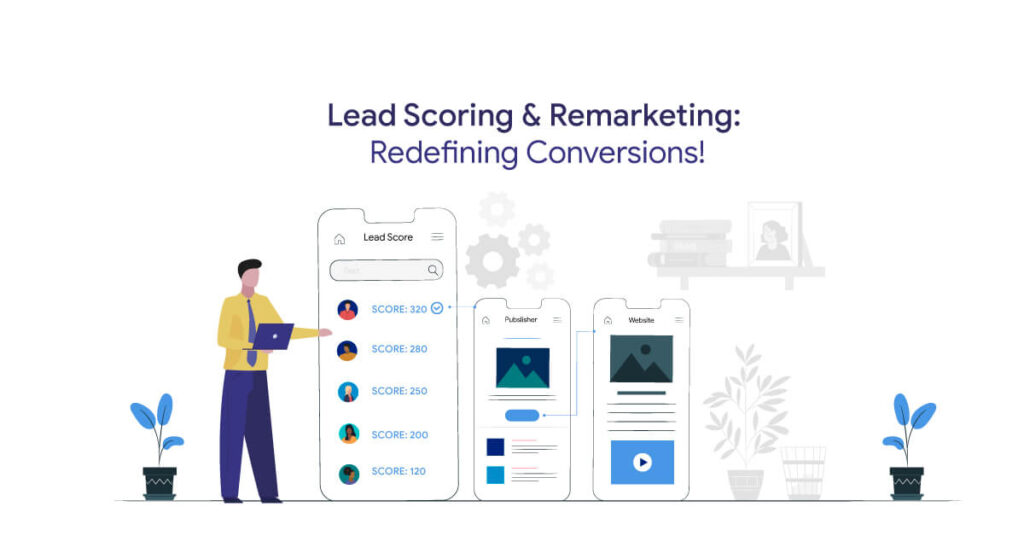
The beauty of using predictive lead data in remarketing is that you can serve prospective advertisements to those in your database that carry the highest likelihood of converting. This means that you can better manage your remarketing budget by advertising to audiences that are best suited to your product and service, rather than simply remarketing anyone and everyone who comes to your website. You’ll probably still want to keep a target-everyone remarketing campaign to capture the first-party data at the very top of your funnel if you’re currently having success with them. But at the end of the day, you’ll definitely want to rethink how you structure your campaigns once you’re able to segment your most qualified audience.
Tatvic’ Cloud For Marketing Solution for Predictive Analytics and Lead Scoring, developed in collaboration with Google Cloud, helps you predict the propensity of the user to convert on your website, in the conversion period of your business. These AI and ML-based models help you to divide the audience into high, medium and low buckets based on their propensity to convert.
Let’s talk about segmentation. Without good segmentation based on predictive data, we wouldn’t have been very good at this whole predictive marketing thing! So at the top, you’ve got your Most Qualified predictive leads: people in your database who are both the right fit and very committed to your content. They tend to get passed on to sales right away. But what about all the others?
What about the leads that fall into the lower buckets?
For this blog let’s consider ‘List B’ leads to be those that are very well suited at the company or account level, but may not be personally engaged enough at the individual level to pass on to sales based on your score thresholds. Then comes List C & D. Well, those C leads (involved, but not a good company fit) and D leads (not engaged and not a good company fit) can just stay in your regular nurturing stream for the time being when they can hopefully move up the lead food chain!
As marketers, it is our mission to turn those B leads into A leads by enabling them to interact with our content and become more familiar with what we have to offer. Why is that? Because we want those users to have some idea of what your company is doing when one of your sales reps contacts them!
Taking Remarketing to the next level
When you add behavioral analytics to your remarketing, you will learn why and how your targeting works and adjust it based on the most up-to-date data you have.
Behavioral analytics is getting to the root of what consumers have been doing - how they want to buy, what kind of features they want, etc. It is mostly used as a way to enhance the product, but it can be just as effective a tool when applied to ads.
To make the most successful advertising possible, you want to tap into what your consumers really want and what they’re actually going to do. With retargeting, you have the ideal opportunity to combine marketing with analytics, because those you retargeted have already begun their consumer journey. You can see how they behave and how similar customers have acted in the past, and you can constantly adapt your actions on the basis of what you know from your potential customers.
Remarketing better with insights
Better data analysis ensures that you can build even more tailored campaigns. Instead of setting up a large category that doesn’t see a high degree of interaction or conversion, and thus wastes your promotional money, slices and dices your users down to even more specific traits.
Structuring your remarketing in this way removes the uncertainty that makes conventional remarketing less successful than it might be. You learn more about your customers and products and use your resources more effectively at the same time.
Helping your data help you.
Simply storing and preserving all the data the company generates is worthless - there’s too much. True value comes from the exploration of knowledge, by the constant refinement of your own questions and assumptions.
In the case of remarketing, the large and unsuccessful outlines of the conventional approach can be strengthened by adding data insights. For every remarketing campaign, you will recognize the questions that need to be addressed and make an immediate impact with those responses.
Know more about Cloud for Marketing and make your remarketing campaigns work. Contact us today!
Tatvic’ Industry News Roundup is your quick weekly dose of notable updates in the Analytics Ecosystem. The news covered in this segment include
Google is starting a new video series on Youtube to help businesses with Digital Marketing insights
Facebook confirms test of marketing tools for small businesses
Bad Email deliverability affects revenue, says study
Custom Metrics are critical for Advertisers in these times
Is Social Media Analytics worth it?
Google is starting a new video series on Youtube to help businesses with Digital Marketing insights
Google is starting a new video series, on YouTube, to help marketers have insights and a better understanding of the digital marketing landscape and opportunities. Also help them educate on relevant Google marketing and advertising solutions and tools to maximise user reach and engagement. See the kickoff video by Google here!
Facebook confirms test of marketing tools for small businesses
Facebook has now taken off the curtain on testing its new email marketing tools for pages with a small audience, for small and medium-sized companies. The social network explained that these tools will enable SMBs to create email contact lists individually or export it from the spreadsheet, after which they’ll be able to write emails through seamless tools and finally, send those emails directly through Facebook, with an added analytics and reporting feature. To know more, read this
Bad Email deliverability affects revenue, says study
A new study has revealed that 91 percent of marketers believe that bad email deliverability has a bad effect on the bottom line of the business, with 8 percent saying the effect is severe. This study ‘Email Deliverability 2020: A Journey into the Inbox’ from the DMA (Data & Marketing Association) and email marketing firm Validity, revealed that marketers quote a plethora of problems when it comes to taking care of the email deliverability. Read the complete blog here
Custom Metrics are critical for Advertisers in these times
Covid-19 has has changed the meaning of ‘Normal’ - as individuals, as families and as businesses. It just flooded everyone off guard, with an impact no one predicted. However, as we start to enter the terms with the changes in our lives and businesses, the last few weeks have been a time of focus on delivering in this new reality, while planning for a future that, we now feel more comfortable admitting, is very uncertain.
It comes as no surprise that advertisers are making the most out of their pennies and are focussed on delivering the results, while experimenting with new techniques that will help them when this time passes. Read More here!
Is Social Media Analytics worth it?
In the last decade there has been a surge in social media data, at the same time companies are innovating AI and ML models to predict people’s interests and buying patterns. We share every personal part of our lives on social media
Google Tag Manager is a very handy tool when it comes to managing your marketing tags in a single place and deploying them without a developer’s help. If you consider yourself a beginner, we’ve already written about the basics of Google Tag Manager and how can you use it.
If you’re an advanced user, you’re probably looking for new ways to expand your GTM working basics. That’s exactly what we’ll be talking about in this blog.
Create Flexible Lookup Tables
Tip: Lookup Table is a feature of GTM in which in a single variable we are expecting different inputs and based on the input we have to provide an output value.
For example, you might have a lookup table to outline the multiple websites to their individual GA property IDs.
Example of lookup table to assign the property id based on the domain
Measure AdBlocking Traffic
Tip: With the help of scripting in GTM we can find out how many of the website users are using AdBlocker and are excluding themselves from the Ads.
In the event that you’re an ad-supported website, understanding the effect of Advertisement Blockers has never been more necessary. To produce a view of how many users are utilizing Ad Blockers on your website, you’ll be able to set up a script and get the details of the Ads being blocked.
However, beyond any doubt that a few advertisement blockers don’t just block ads from Google; they block any request to Google servers. Meaning no GTM and no Google Analytics. The only places those guests are progressing to appear are your log files.
Measure Video Engagement
Tip: Get insights into the effectiveness of embedded YouTube videos available on the website by tracking the progress of it.
Video recordings are still a critical portion of our promoting toolkit! Preferably like with any other feature on the website, you can’t just make a video for the purpose of creating it. How are users responding to that? Do individuals who watch videos transact more promptly than those who don’t?
In the case of embedded YouTube videos, the default tracking will track a 25% increase in the played video but you can customize it. Be cautious while customization, if there is a minute-and-a-half-long video and the percentage increase is set on 10% then it will lead to a huge visit to YouTube API call demands, wherein we were asking information speedier than we might get it back.
Trigger setup for embedded YouTube videos
Strip Out PII
Tip: Make sure there is no PII data sent to Google’s server.
PII: Personally Identifiable Information. In case you perused through Google’s Terms of Service (ToS) for GA, you’ll see that sending any kind of PII to Google’s servers is prohibited. What’s the worst that can happen? Your whole Google Analytics profile can be wiped out. Not just a particular GA view that had violation but your entire analytics profile.
And here’s the super-fun portion: if you’re using GA filters to “remove” PII from your reports, keep in mind that those filters will go into impact after Google receives your information. With filters, you’ll be sending PII to Google’s servers and actually be committing a violation.
The only way to remain secure is to never send PII to Google’s server at all. Use GTM to capture, evacuate, and after that hail PII from sending it to GA. In most cases, PII gets accidentally sent over query string parameters. We can set up GTM so that it cleans all query string parameters by default sending information to GA.
Observe Dwell Time & Measure Stickiness
Trick: By including certain JavaScript calculate the actual time users are spending on your website and understand how much effective your website content is and what can be included for more user engagement.
You’ll be able to track the Dwell Time, that’s, how long users really spend on your pages. It’s easy to rely on the bounce rate, but keep in mind that to GA, the bounce rate is the rate of single-page visits. Indeed if a user spends 15 minutes getting everything they require out of an incredible post you composed, GA will record a bounce as the user didn’t redirect to any other web page. But that was a good-quality session.
Combat that by measuring Dwell Time using an HTML tag in GTM that conveys the setTimeout strategy to thrust an interaction into the dataLayer after a predetermined sum of time. You’ll set that time period to be anything you need. Utilizing more JavaScript, we are able to actually check the number of words on the page, divide that by 10, to induce points of reference. Alter the numbers which are most insightful, let’s say we had a 1,400-word post, we’d say that guest was sticky after approximately 140 seconds.
For reference: ((No. of words) * 60) / (200 * 3)
Moreover, keep in mind how time is characterized by Google Analytics: it’s the time between two interactive hits. In case you spend 30 minutes perusing a single page and after that take off the website, which appears as a 0-second visit.
With Google Tag Manager and Google Analytics working in sync, your paid channel reporting will get more streamlined and more accurate. If you’re pondering on the results, having these systems in place is the first step towards clarity.
Get a GTM consultation today and know more about Tag Manager
Contact Us
Tell us about your goals. We will connect you with the right specialist.